Minecraft Legacy Console Edition for Chromebook: Can Legacy Launcher Run?
Minecraft Legacy Console Edition for Chromebook is possible only as an experimental Linux workflow on compatible devices. The current LegacyLauncher v3.5.0 release provides a Linux AppImage built by the project's Ubuntu release job, so Intel or AMD Chromebooks are the most plausible candidates after Linux is enabled. ARM Chromebooks cannot use the same desktop binary natively, and ChromeOS itself is not a directly supported target.
No Chrome Web Store or Android package is published
quick answer
Minecraft Legacy Console Edition for Chromebook is not a native install
LegacyLauncher is an Electron desktop application. ChromeOS is not a native target, so the optional Linux development environment must be enabled. The official v3.5.0 Linux file is an x86_64 AppImage.
Check the Chromebook processor before downloading: Intel and AMD models may match x86_64, while ARM models do not.
Official LegacyLauncher GitHub project asset.device check
Compatibility matrix before you install
A green result means the released file format is plausible, not guaranteed. Linux support, administrator policy, storage and graphics still vary by model.
Intel/AMD + Linuxx86_64 AppImage candidate
Linux disabledEnable ChromeOS Linux first
ARM Chromebookx86_64 file is incompatible
Managed deviceAdministrator may block Linux
setup path
How to try the AppImage on a compatible Chromebook
Enable the Linux development environment in ChromeOS Settings. Move the AppImage into Linux files, open Terminal, run chmod +x LegacyLauncher-3.5.0.AppImage, then run ./LegacyLauncher-3.5.0.AppImage.
Do not download an APK or unknown repack: the official project does not publish an Android package.
real interface
What LegacyLauncher looks like after it opens
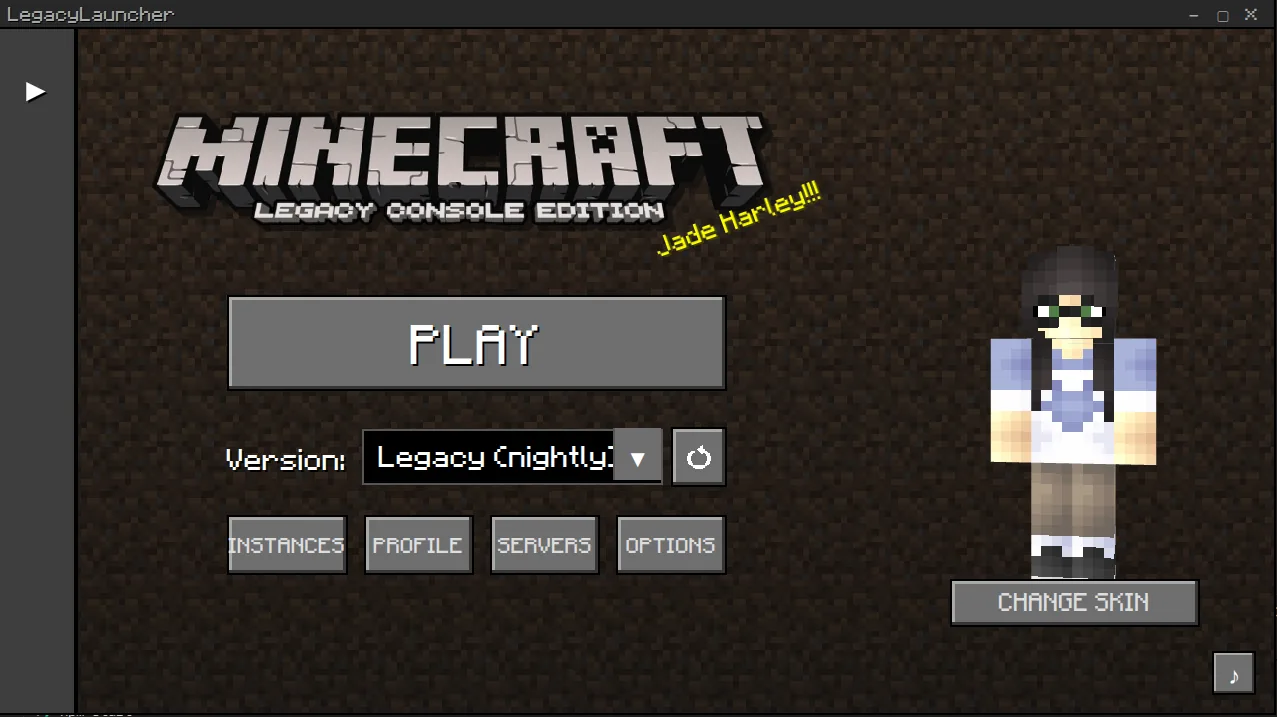
The screenshot below comes from the official LegacyLauncher README. Chromebook installation does not change the interface; processor and Linux-container compatibility are the uncertain parts.
Official screenshot from the LegacyLauncher GitHub README.troubleshooting
Common Chromebook failure points
An Exec format error usually means an ARM device is trying to run the x86_64 build. Permission denied usually means the AppImage needs execute permission. Graphics or blank-window failures can depend on the ChromeOS Linux container.
Check architecture with uname -m: x86_64 matches the published AppImage; aarch64 indicates ARM.
safe alternatives
When another device is the better choice
Windows or conventional x86_64 Linux provides a more predictable setup. LegacyLauncher can use direct execution, Wine or Proton on Linux, but selected content still has to be compatible.
LegacyLauncher.wiki does not host Minecraft game files, accounts, cracked builds or bypass tools.