Can Legacy Launcher Use Mods? LCE vs Java Compatibility
The phrase Legacy Launcher mods is ambiguous. The archived gradenGnostic/LegacyLauncher project covered by this site is a community launcher for Minecraft Legacy Console Edition (LCE), while the separate llaun.ch Legacy Launcher documents Java Edition mod workflows. Before you move a Forge, Fabric, OptiFine or Modrinth file, identify which product you actually installed.
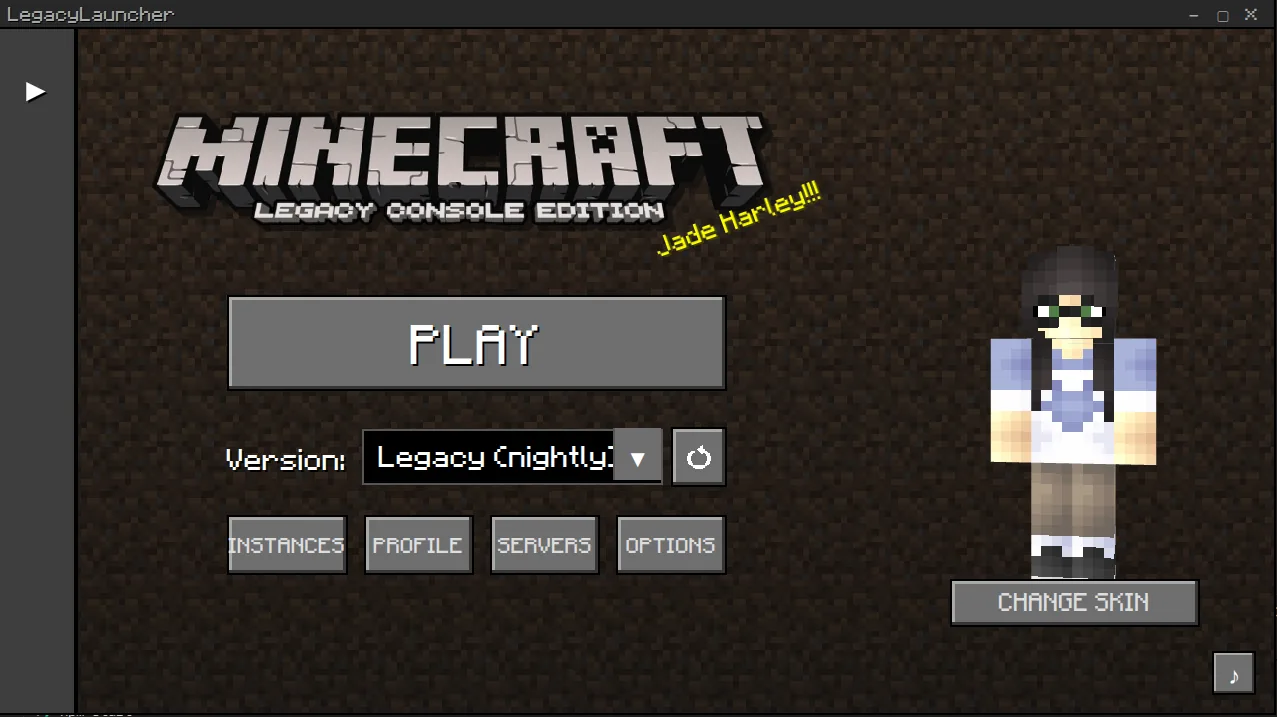
Official LegacyLauncher README interface. It identifies the LCE community launcher; it is not a Java mod-loader screen.
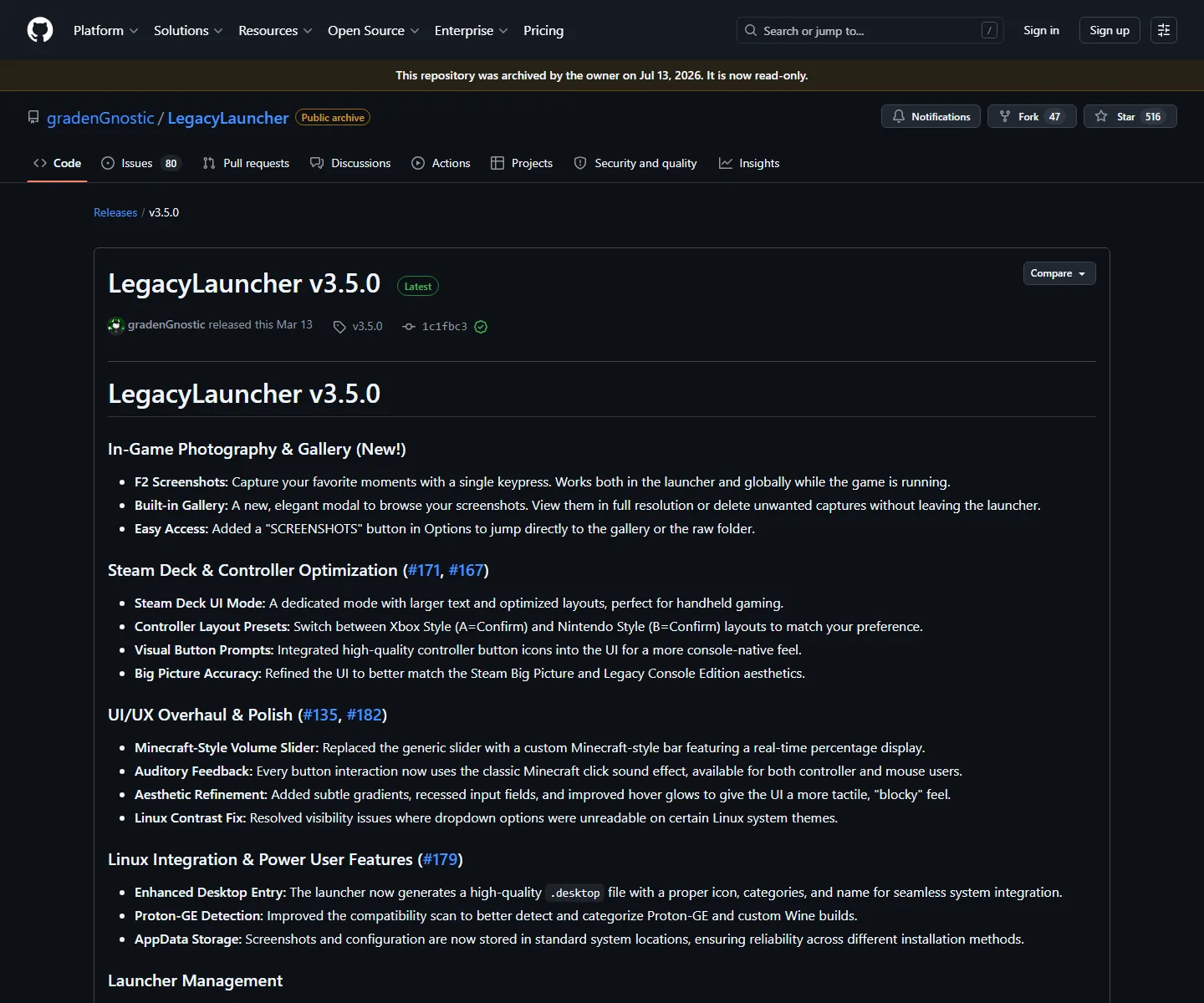
Version check: the official gradenGnostic/LegacyLauncher repository is archived and its latest verified release is v3.5.0, published March 12, 2026. This page does not claim that the release includes Forge, Fabric, OptiFine or Modrinth support.
quick answer
Legacy Launcher mods: the answer in five checks
Product on this site
gradenGnostic/LegacyLauncher, a community desktop launcher for Minecraft Legacy Console Edition
Latest verified release
v3.5.0, published March 12, 2026; the repository is archived
Official mod-loader guide
No Forge, Fabric, OptiFine or Modrinth workflow is documented in the checked LCE repository and release
Why searches conflict
The separate llaun.ch Legacy Launcher is a Java Edition project with its own mod documentation
Safest next step
Match the repository owner and edition before copying a mod path or downloading a modpack
start with the product name
What does “Legacy Launcher” mean here?
This guide uses Legacy Launcher to mean the archived gradenGnostic/LegacyLauncher desktop project. Its public repository describes a custom launcher for Minecraft Legacy Console Edition and publishes Windows, macOS and Linux release assets. That product identity matters more than a similar title in a video, a forum post or a mod folder tutorial.
A different product at llaun.ch also uses the name Legacy Launcher and has Java Edition documentation for mods. Its instructions may mention loaders, profiles or mod files that are not evidence for the LCE project discussed here. Treat the two projects as separate applications with separate files, accounts, release histories and support boundaries.
If your installer, repository owner or release page does not match gradenGnostic/LegacyLauncher, stop and identify the other project before using this page. A correct answer for one Legacy Launcher can be completely wrong for the other one.
Official v3.5.0 release notes checked August 11, 2026. The release confirms the product scope and platform files, not a Java mod-loader workflow.
Use the repository owner, release tag and platform file to identify the app.
Do not treat a Java Edition mod tutorial as an LCE feature announcement.
Do not download a renamed APK, game package or modpack just because it contains Legacy Launcher in the filename.
what the official release proves
Does v3.5.0 officially support Forge, Fabric or Modrinth?
The checked v3.5.0 release and repository are useful for verifying the app, source owner and platform assets. They do not publish an official Forge, Fabric, OptiFine or Modrinth installation recipe for the LCE launcher. That is a documentation boundary: it means this site should not promise that a Java mod file will load successfully in the archived v3.5.0 app.
The careful answer to “how to add mods in Legacy Launcher” is therefore: first confirm which Legacy Launcher the question refers to. For the gradenGnostic LCE project, this site cannot verify a supported Java mod-loader path. For the separate Java Legacy Launcher, follow that product’s own documentation and match the Minecraft version, loader and profile there.
This distinction also protects your files. A mod JAR, a Modrinth project, a Forge profile and an LCE community content package are not interchangeable simply because they all contain Minecraft-related words. Keep the original download, release tag and source page available until the workflow is verified.
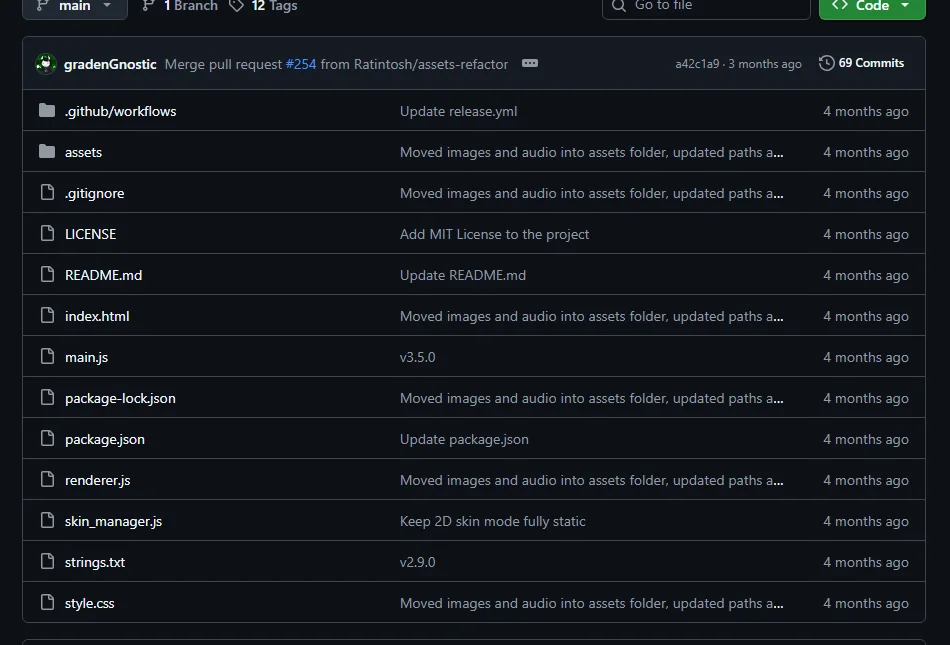
Official source tree for the archived project. Open source visibility helps identify the product, but does not turn a Java mod tutorial into an LCE feature.
Documented release scope is not the same as general Minecraft mod compatibility.
A missing official workflow is a reason to avoid confident installation claims.
Check the exact Java launcher and loader documentation when the goal is Java Edition modding.
separate the editions
LCE launcher mods versus Java Edition mods
Minecraft Edition and launcher scope are the first two checks. The LCE project on this site is built around a Legacy Console Edition community workflow. Java mods normally depend on a Java Edition instance, a compatible loader, the correct Minecraft version and a matching profile or mods directory. Those requirements belong to the Java workflow, not automatically to every launcher that contains the word Legacy.
If a guide tells you to select Forge, Fabric, NeoForge, OptiFine or a Modrinth profile, read the page as a Java Edition instruction unless it explicitly identifies the gradenGnostic LCE project and provides first-party evidence. If it tells you to copy a JAR into a folder that the LCE release never documents, do not assume the path is safe or supported.
The same rule applies to modpacks. A ZIP or launcher profile made for one Java version can fail even inside the correct Java launcher, and it cannot be treated as an official LCE package. Verify the edition, loader, version and source before extracting anything.
gradenGnostic/LegacyLauncherArchived community LCE launcher; use official release evidence for its documented scope
llaun.ch Legacy LauncherSeparate Java Edition project; use its own mod documentation and version rules
Random Legacy Launcher modpackUnverified product identity or bundled files; do not treat the filename as proof
illustrative boundary
Why the mod file does not answer the compatibility question
A mod file is only one part of a working Java setup. The launcher must create or open the right edition instance, the loader must match the game version, and the profile must know where the files belong. When any of those pieces are missing, copying a JAR can produce a launch error, an empty profile or a misleading “works on my machine” report.
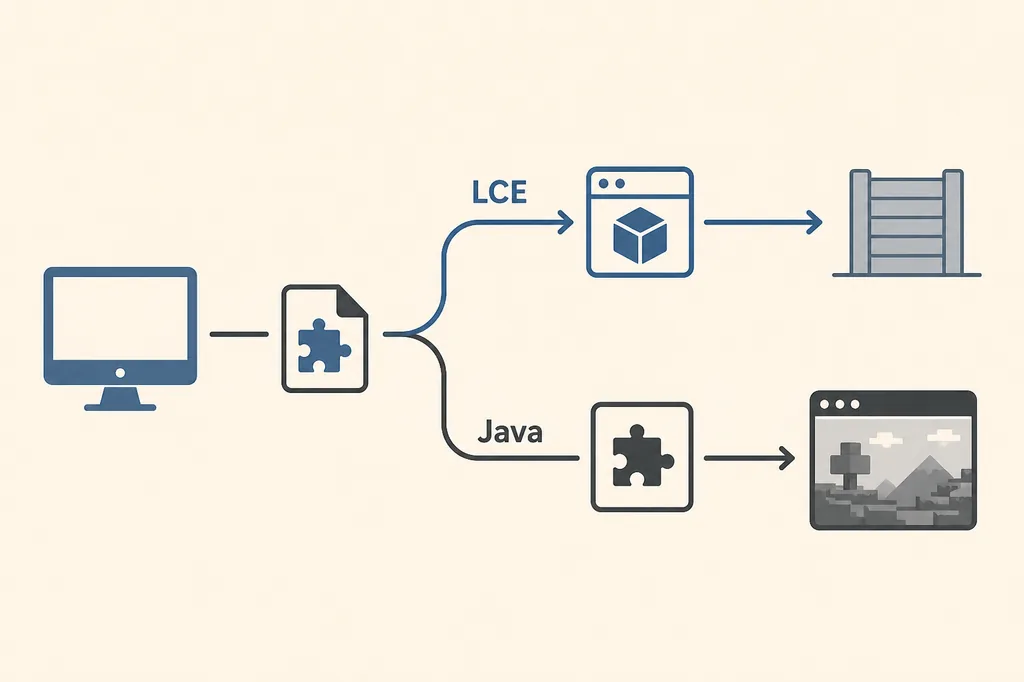
The diagram below is an editorial concept visual, not an official screenshot and not proof of an LCE feature. It shows why the same file can lead to two different questions: an LCE product-identity check on one side and a Java mod-loader workflow on the other. Keep the final decision in crawlable text and verify it against the relevant project source.
For this site’s archived LCE release, the useful action is to identify the product and avoid promising an unsupported mod installation. If you actually need Java mods, switch to the Java product’s documentation rather than forcing the LCE download into a different role.
Illustrative compatibility diagram generated for this guide; it is not a real launcher screenshot or an official feature claim.when your goal is Java modding
What to do instead of guessing a Legacy Launcher mods folder
Start by writing down the game edition and version you own or intend to use. Then choose the launcher and loader documented for that edition. Keep the launcher’s official page, the loader’s version notes and the modpack’s source page together. This is more reliable than searching for a generic folder path that may belong to another product.
If you arrived from a video or community post, compare its screenshots and filenames with the official product. Look for the repository owner, release tag, platform, Java or LCE wording and the presence of a documented account flow. Do not enter credentials into copies that promise free accounts, cracked builds or bundled Minecraft files.
If you only need the archived LCE launcher, use the site’s download, GitHub and safety guides. They explain platform files and source checks without pretending that a Java modpack is part of the LCE release.
Java Edition goal: follow the separate Java launcher and loader documentation.
LCE goal: verify gradenGnostic/LegacyLauncher and use the checked v3.5.0 source boundary.
Modrinth or Forge goal: confirm the selected Java instance before importing a project.
Unknown file: do not run it until owner, release tag, extension and source are clear.
Security concern: use the safety guide and never trade account credentials for a download.
troubleshooting without overclaiming
Common Legacy Launcher mods questions
“How do I install mods in Legacy Launcher?” is not specific enough to answer with one path. The high-volume wording is shared by multiple products, and Similarweb’s related and question tabs contain both Java loader phrases and generic launcher phrases. Treat the exact product, edition and version as required inputs before giving a step-by-step answer.
“Where is the legacy Minecraft mod folder?” is also unsafe as a universal question. Folder names vary by launcher, edition, operating system and profile. This site does not invent a path for the archived LCE application. Use the source project’s documented controls or the correct Java product’s instructions instead.
“Can Legacy Launcher use a modpack?” should be answered with the same boundary. A modpack made for a Java loader is not automatically an LCE package. Confirm the product and loader, and do not call a third-party bundle official.
How this guide stays within the verified release boundary
On August 11, 2026, the official GitHub API still identified gradenGnostic/LegacyLauncher as archived and v3.5.0 as its latest release, published March 12, 2026. The four platform asset names and sizes used by this site match the release metadata. The repository and release page are the evidence for the app identity; they are not evidence that a Java mod-loader feature exists.
Because the repository is archived, future compatibility fixes should not be assumed. A fork may add features, but a fork needs its own owner, release page, source and version checks. Do not attach a fork’s mod support to the archived v3.5.0 project without explicit first-party documentation.
When the answer is uncertain, a qualified boundary is more useful than a confident but wrong install command: identify the product, state what the checked release documents, link the relevant official source and send Java mod questions to the separate Java launcher documentation.
Official source-tree image reused as a product-identity check; it is not a mod installation screenshot.
It depends on which product you mean. The archived gradenGnostic/LegacyLauncher project is an LCE community launcher, and the checked v3.5.0 source does not document a Forge, Fabric, OptiFine or Modrinth workflow. Do not treat Java mod instructions for the separate llaun.ch Legacy Launcher as proof for this app.
How do I add mods in Legacy Launcher?
First identify the repository and Minecraft edition. If the app is gradenGnostic/LegacyLauncher, this site cannot verify a supported Java mod-loader path. If you mean the separate Java Edition Legacy Launcher, follow that product’s own mod documentation and matching version rules.
Does Legacy Launcher support Forge or Fabric?
The checked archived v3.5.0 LCE repository and release do not publish a Forge or Fabric installation workflow. That is not evidence for a future fork; verify any fork through its own official repository and release notes.
Can I install a Modrinth modpack in Legacy Launcher?
Do not assume so. A Modrinth project normally targets a specific Java Edition version and loader. Confirm the Java launcher, loader and profile first, and do not import a modpack into the archived LCE app based only on a similar name.
Where is the Legacy Launcher mods folder?
There is no universal path. Folder locations depend on the product, edition, operating system and profile. This guide does not invent an LCE path; use the correct product’s documented settings or file instructions.
Is the Java Legacy Launcher the same as gradenGnostic LegacyLauncher?
No. They are separate projects with different repositories, editions and documentation. Match the owner and release page before using a mod tutorial or downloading a file.