Legacy4J vs Legacy Launcher: Which Should You Use?
Legacy4J and Legacy Launcher are not two versions of the same download. Legacy4J is a mod that reshapes Minecraft Java Edition with menus, controller behavior and features inspired by Legacy Console Edition. Legacy Launcher is a separate desktop launcher for community Minecraft LCE workflows. Choose Legacy4J when you own Java Edition and want a console-style experience inside modern Java Minecraft; choose Legacy Launcher only when you specifically understand its archived LCE workflow and already have the files you are entitled to use.
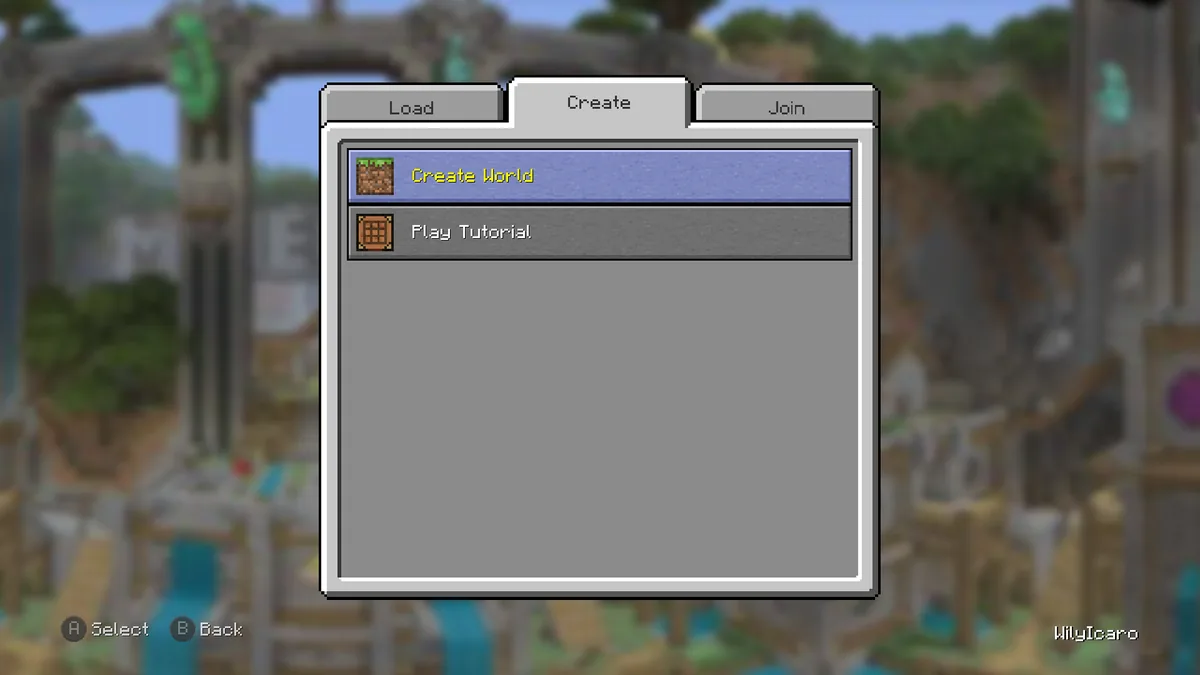
Official Legacy4J project gallery screenshot showing its console-inspired Play Game menu. Legacy4J runs as a Minecraft Java Edition mod, not as the Legacy Launcher desktop app.
Use the official project pages in the sources section and match the Minecraft version and mod loader before installing anything.
verified July 19, 2026
Legacy4J and Legacy Launcher status at a glance
Legacy4J checked release family
1.8.6-lts, published May 14, 2026 with separate Minecraft-version and loader builds
Legacy4J project type
Open-source Minecraft Java Edition mod distributed through Modrinth and source code on GitHub
Legacy Launcher checked release
v3.5.0, published March 12, 2026 for Windows, macOS and Linux
Legacy Launcher repository status
Archived and read-only; do not expect new fixes or releases
Game ownership boundary
Neither project includes Minecraft ownership, paid game files or an account bypass
quick verdict
Legacy4J is the better fit for most Java Edition players
For most readers searching for a Minecraft console edition mod for Java, Legacy4J is the more direct answer. It changes the Java Edition interface and interaction model while keeping the game inside the normal modded-Java ecosystem. Its official project page lists Fabric, Forge, NeoForge and Quilt-compatible releases across multiple Minecraft versions, so the correct file depends on the exact game version and loader in your profile.
Legacy Launcher has a different job. It is a standalone Electron desktop application associated with community Minecraft Legacy Console Edition workflows. This site tracks its last verified v3.5.0 release, but the source repository is archived. If your goal is simply to make a current Java Edition installation feel closer to Xbox 360, PlayStation 3 or other legacy console menus, installing a maintained Java mod is normally clearer than building a workflow around an archived launcher.
Choose Legacy4JYou own Minecraft Java Edition and want console-inspired menus, controller navigation, crafting screens and tutorial-style features.
Choose Legacy LauncherYou specifically need the archived community LCE launcher workflow and understand its separate file and compatibility requirements.
Choose neitherYou want retail Bedrock Edition, a real console copy, free game files or an official Mojang launcher replacement.
identity check
Legacy4J and Legacy Launcher solve different problems
Legacy4J is installed into a compatible Minecraft Java Edition mod profile. The project describes itself as adapting features from old Minecraft Legacy Console Edition, and its gallery shows console-style world selection, host options, crafting, controls, save screens and tutorial areas. It does not turn Java Edition into an original console executable; it recreates interface and gameplay presentation inside Java Edition.
Legacy Launcher is a desktop launcher rather than a Java mod. Its v3.5.0 release includes profiles, launch options, screenshots, controller presets, Linux integration and a Steam Deck interface. The launcher does not include Minecraft files. Read the Minecraft Legacy Launcher guide when you need the launcher-specific route, or use the comparison here when search results have mixed both names together.
Legacy4J modifies a Minecraft Java Edition installation through a supported mod loader.
Legacy Launcher starts as a separate desktop application for LCE-related workflows.
Legacy4J has many version-specific builds; Legacy Launcher has one latest checked desktop release.
Both are community projects and neither is an official Mojang or Microsoft product.
real interface
What the Legacy4J mod changes in Minecraft Java Edition
The most visible Legacy4J change is its console-shaped interface. Instead of only adding a texture pack, the mod supplies menus and navigation patterns that resemble Legacy Console Edition: world load/create/join tabs, controller-first prompts, redesigned crafting and inventory screens, host options, save controls and other presentation details. That is why the keyword Legacy4J belongs on a dedicated mod guide rather than being folded into the Legacy Launcher download page.
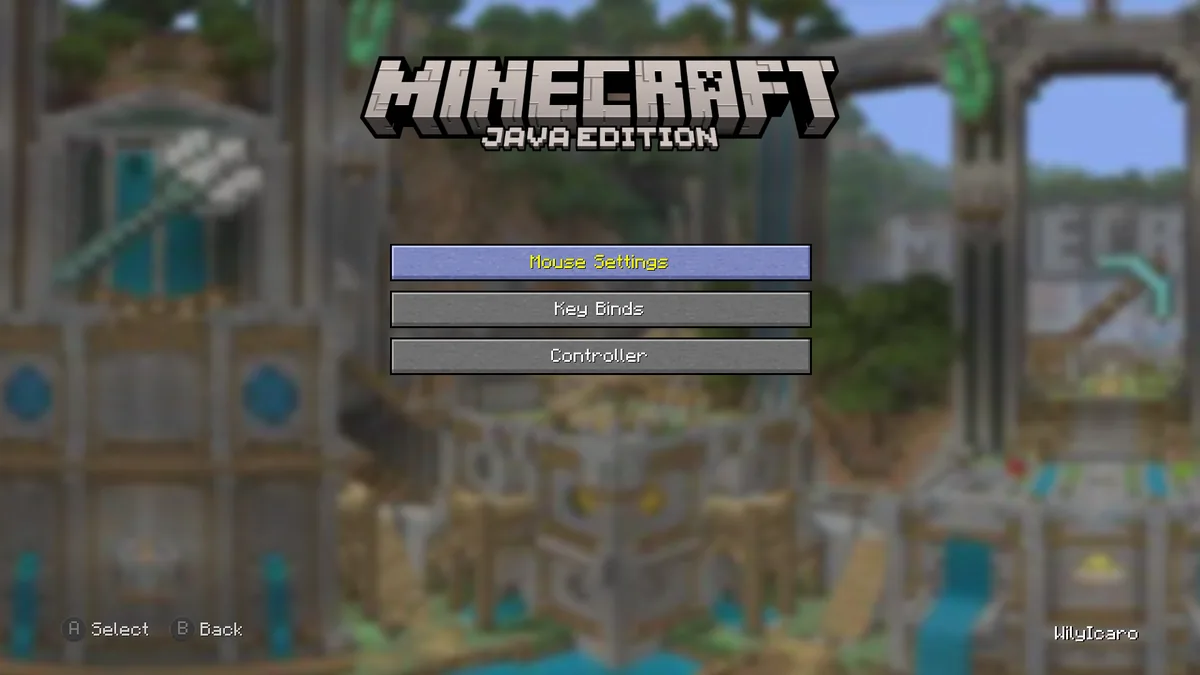
The official gallery also makes an important boundary visible: the logo still says Minecraft Java Edition. Legacy4J is useful when you want the feel of a console interface while keeping Java Edition mods, saves and launch profiles. It is not evidence that a retail Xbox 360, PlayStation 3, Wii U or Nintendo Switch game build has been ported to your PC.
Official Legacy4J Modrinth gallery screenshot. The controller-focused Java Edition menu illustrates why Legacy4J is a mod experience rather than a separate console game download.
Check the exact Minecraft version before selecting a Legacy4J file.
Match Fabric, Forge, NeoForge or Quilt to the loader already used by your profile.
Back up worlds before changing a large interface/gameplay mod stack.
Test controller mappings without stacking multiple menu or controller overhaul mods at once.
version choice
Download Legacy4J from the project page, not a random mirror
The latest verified Legacy4J release family on July 19, 2026 is 1.8.6-lts, published May 14, 2026. There is not one universal file for every player. The project publishes separate builds for different Minecraft versions and loaders, and even files with the same Legacy4J version can target different combinations. The safest route is the official Legacy4J Modrinth page, where you can filter by game version and loader.
Do not select a JAR only because its filename contains the newest Legacy4J number. Confirm the Minecraft version in your launcher profile, confirm the loader, read dependencies, and keep the downloaded file in that profile's mods folder. If Modrinth and a mirror disagree, use Modrinth, the official GitHub source or the project documentation to resolve the mismatch rather than trusting a reposted download button.
Game versionMust match the Minecraft profile, such as 1.20.1, 1.21.1 or another supported release.
Mod loaderMust match Fabric, Forge, NeoForge or Quilt as listed for the selected file.
Unknown mirrorAvoid files that hide the source project, loader, Minecraft version or checksum context.
experience
Legacy4J recreates a console mood without becoming a console port
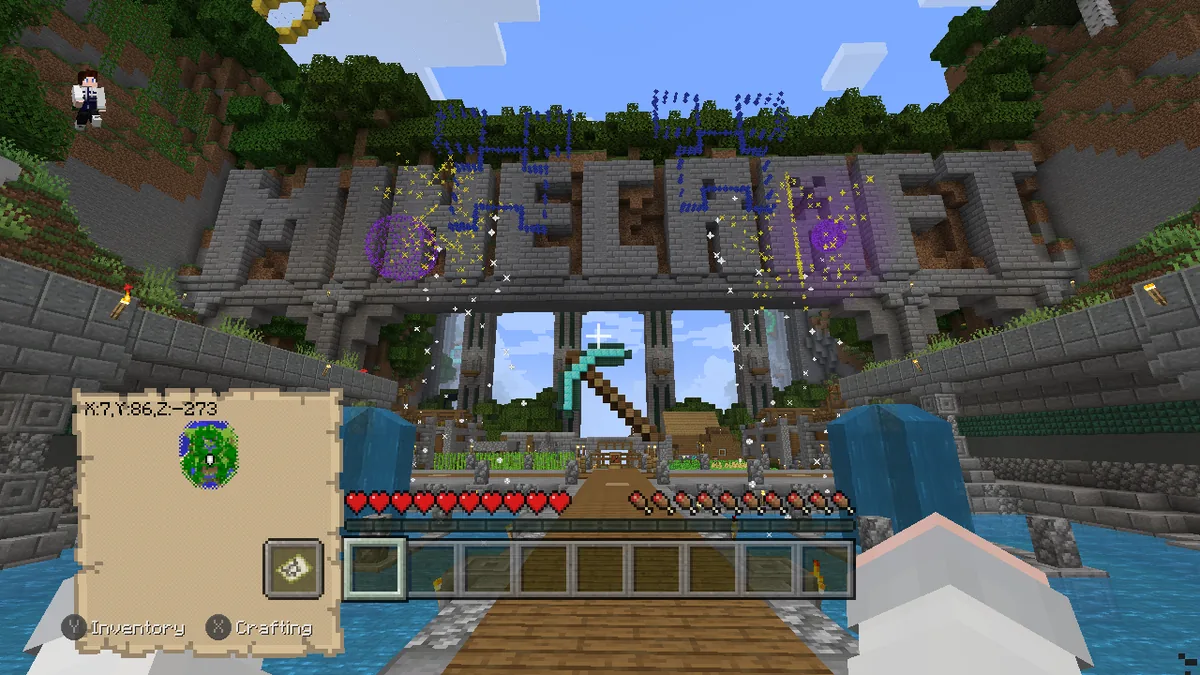
Legacy4J can deliver more than a menu skin. The official screenshots show tutorial environments, console-style HUD elements, controller prompts and interface flows built around couch-friendly navigation. These details can make a Java Edition session feel much closer to the rhythm of Legacy Console Edition, especially for players who remember tutorial worlds and controller-first menus.
That does not make every feature, save format, redstone behavior, minigame or old title update identical. Treat Legacy4J as an active reinterpretation for Java Edition. If your goal is historical information about original console editions, use the Minecraft Legacy Console Edition on PC guide; if your goal is a Java mod that reproduces the presentation, Legacy4J is the relevant project.
Official Legacy4J gallery screenshot showing a tutorial environment and console-style HUD inside Minecraft Java Edition.installation plan
Test Legacy4J in a separate profile before using important worlds
Create a dedicated Legacy4J profile in the Java launcher you already use. Choose the Minecraft version first, install the matching loader second, and add the Legacy4J build that matches both values last. Start that profile without other interface mods and test the main menu, world selection and controller navigation. This order makes it easier to identify whether a problem comes from Minecraft, the loader, Legacy4J or another modification.
After the base profile works, add other mods one at a time. Inventory replacements, menu overhauls, controller mods, crafting screens, font packs and UI scaling changes are the most likely areas of overlap. Keep a copy of the working profile and back up important worlds before testing a larger combination. Do not open a main world with an experimental stack unless an independent backup exists.
Keep Legacy Launcher outside the Java mods folder and use clear names for every app and profile. Instructions for Prism Launcher, TL Legacy, Bedrock Launcher and the official Minecraft Launcher are not interchangeable. Each product has different folders, logs, launch arguments and failure points.
Record the Minecraft version, loader and Legacy4J version before requesting help.
Test keyboard and mouse first, controller second and Steam Input last.
Keep a clean comparison profile without extra interface mods.
Do not move a JAR between Minecraft versions without checking compatibility.
Read the profile log instead of reinstalling every component at random.
decision guide
Which project should you use for your Minecraft setup?
Use Legacy4J when your starting point is a legitimate Minecraft Java Edition installation and your desired outcome is a console-like interface, controller navigation or tutorial-world atmosphere. Use Legacy Launcher when your starting point is the specific community LCE launcher project and you already understand its archived status, desktop packages and external file requirements. The two projects can exist on the same computer, but they do not replace one another and should live in separate, clearly named folders or profiles.
If you want Bedrock Edition, neither project is the normal answer. The retail Bedrock game uses Microsoft's official distribution and account flow. Search-name overlap is common, so read the Legacy Launcher Bedrock guide before downloading anything that claims to unlock Bedrock support.
Keep both community projects separate from game ownership claims
Legacy4J is open source under the MIT license and its Modrinth page links to the public source repository. Legacy Launcher was also published as an open-source project, but its repository is now archived. Open source does not mean a download bundle is automatically safe, official or entitled to redistribute Minecraft content. Verify the project identity, release source and expected filename before opening any installer or JAR.
Neither project supplies a Minecraft license. Avoid pages that combine a mod or launcher with paid game files, account bypasses, cracked claims or vague 'all-in-one' archives. Keep backups, scan files with your normal security tools, and prefer links from the project's official page over community reposts.
Legacy4J source: Wilyicaro/Legacy-Minecraft on GitHub.
Legacy4J distribution: the official Modrinth project page with version and loader filters.
Legacy Launcher source: gradenGnostic/LegacyLauncher, archived after v3.5.0.
Minecraft purchase and account access remain separate from both community projects.
common questions
Legacy4J and Legacy Launcher FAQ
Is Legacy4J the same as Legacy Launcher?
No. Legacy4J is a Minecraft Java Edition mod. Legacy Launcher is a separate desktop launcher for community Legacy Console Edition workflows.
What is the latest Legacy4J version?
The latest verified release family on July 19, 2026 is Legacy4J 1.8.6-lts, published May 14, 2026. Choose the build that matches both your Minecraft version and mod loader.
Does Legacy4J include Minecraft?
No. You need your own legitimate Minecraft Java Edition installation and a compatible mod profile. Legacy4J does not provide game ownership or paid game files.
Can Legacy4J run Minecraft Bedrock Edition?
No. Legacy4J modifies Java Edition. It does not install or launch the retail Bedrock Edition distributed by Microsoft.
Can I install Legacy4J and Legacy Launcher on the same PC?
Yes, because they are separate projects, but keep them in separate profiles and folders. Installing one does not configure or update the other.
Is Legacy4J an official Mojang or Microsoft mod?
No. It is a community open-source mod inspired by Legacy Console Edition. Use its official project pages for downloads and documentation.