Search engines and gaming forums often conflate Legacy Launcher and TL Legacy because both names share history in the Minecraft launcher community. However, in modern usage, they represent completely different software tools with distinct codebases, target editions, release models, and distribution channels. This guide breaks down the concrete technical differences between gradenGnostic's community Legacy Launcher (designed for running Minecraft Legacy Console Edition on modern PCs) and TL Legacy (the independent Java Edition launcher distributed via llaun.ch). By evaluating repository provenance, runtime architecture, account handling, and authentic download locations, you can quickly identify which launcher meets your gameplay objectives while avoiding third-party repackaged installers or counterfeit mirrors.
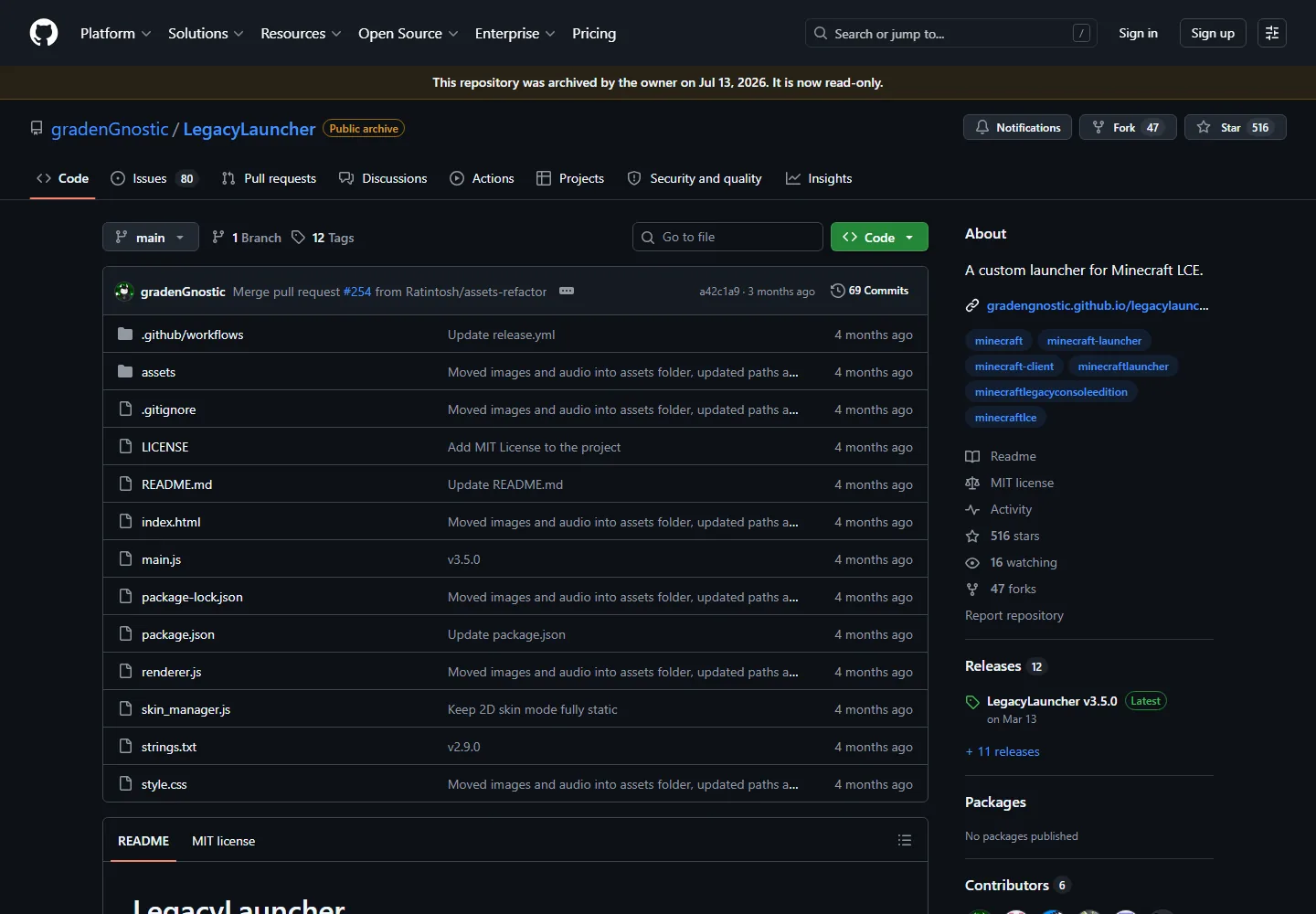
The official gradenGnostic/LegacyLauncher GitHub repository. Reviewing the authoritative source repository and verified tag releases is the most reliable way to separate Legacy Launcher from third-party launchers.
Free open-source software under MIT License. No pirated game files or cracked accounts included.
Core Architecture Facts
Project Identification & Overview
Legacy Launcher on this Wiki
gradenGnostic/LegacyLauncher: a desktop Electron-based launcher specifically built to orchestrate and run Minecraft Legacy Console Edition (LCE) assets on desktop operating systems (Windows, macOS, Linux).
TL Legacy (llaun.ch)
An independent, lightweight Java Edition launcher created as an authentic continuation of the original community launcher concept, maintaining its own update infrastructure and skin system.
Legacy Launcher is hosted transparently on GitHub releases with standalone installer binaries; TL Legacy operates through official domains at llaun.ch.
The Clarification
Why Search Queries Frequently Confuse Legacy Launcher and TL Legacy
If you search online for 'tl legacy launcher' or 'legacy launcher download', search engine algorithms often conflate multiple unrelated software projects. For years, the original lightweight community launcher commonly associated with early Minecraft enthusiasts went through several name changes, migrations, and legal disputes with commercial mirror operations. Out of that history emerged TL Legacy, an actively maintained launcher hosted at llaun.ch designed primarily for standard Minecraft Java Edition players seeking a clean, customizable, and bloatware-free launcher experience.
In contrast, the Legacy Launcher cataloged on this wiki refers specifically to the open-source GitHub project maintained under gradenGnostic/LegacyLauncher. Rather than launching standard modern Minecraft Java Edition, its entire architecture is tuned to recreate, configure, and launch the authentic Minecraft Legacy Console Edition (LCE)—the beloved console version originally developed by 4J Studios for Xbox 360, PlayStation 3, Wii U, and PlayStation Vita. Because both software tools utilize the word 'Legacy' prominently in their branding, newcomers often download the wrong tool expecting a Java modpack launcher, or conversely, install TL Legacy expecting built-in console mini-games and Xbox-style crafting interfaces.
Understanding this fundamental dichotomy prevents wasted setup time: choose Legacy Launcher if your goal is the nostalgic 4J Studios console user interface and console mechanics; choose TL Legacy if you want to launch standard Minecraft Java Edition versions alongside modern modding platforms like Fabric, NeoForge, and Quilt.
Side-by-Side Comparison
Architectural Breakdown: Legacy Launcher vs TL Legacy
To provide complete transparency into how these two applications operate, the following comparative matrix highlights key technical attributes, runtime dependencies, supported operating systems, and target player profiles.
Examine these distinctions before attempting to configure game directories, install Java runtimes, or transfer skin files.
Electron desktop app vs pure Java-based GUI execution
Official Release Source
GitHub Releases (gradenGnostic/LegacyLauncher)
Official website at llaun.ch and associated mirrors
GitHub open-source tags vs independent web portal downloads
Latest Verified Build
v3.5.0 verified release with cross-platform binaries
Rolling release stream with in-launcher auto-updates
Deterministic version tags vs dynamic continuous updater
Account Authentication
Local player profiles & offline identifier configuration
Microsoft MSA, Ely.by accounts, and offline profiles
Console profile management vs Microsoft Java authentication
Custom Mods & Shaders
LCE specific patches, title updates, and resolution scaling
Full Forge, Fabric, Quilt, Iris, OptiFine, and Modrinth support
Console title updates vs modern PC Java modpacks
Gameplay & Interface
User Interface and In-Game Experience Differences
The moment you boot into the game, the difference between Legacy Launcher and TL Legacy becomes unmistakable. When you launch a session through Legacy Launcher, you are presented with the iconic, controller-first interface created by 4J Studios. This includes the streamlined grid crafting system, the classic console tutorial worlds, the distinctive split-screen multiplayer menus, and the integrated battle and glide mini-game lobbies that defined console gaming in the 2010s.
TL Legacy, on the other hand, directs your system to start regular Minecraft Java Edition. The interface in TL Legacy itself focuses on account switching, memory allocation (JVM arguments), version selection from Alpha and Beta releases up through modern snapshots, and direct integration with community skin repositories like Ely.by. Once the game launches from TL Legacy, you interact with the standard PC Java interface—featuring mouse-driven 3x3 crafting tables, modern chat windows, and the standard PC settings screen.
If you plug an Xbox or PlayStation controller into your computer expecting seamless native button prompts, tactile rumble feedback, and console-style inventory navigation without installing third-party controller mods like MidnightControls or Controlify, Legacy Launcher provides that out-of-the-box through its LCE container. For players who prefer mouse-and-keyboard precision, large-scale multiplayer servers (like Hypixel), and complex technical automation mods, TL Legacy connects you to the proper Java ecosystem.
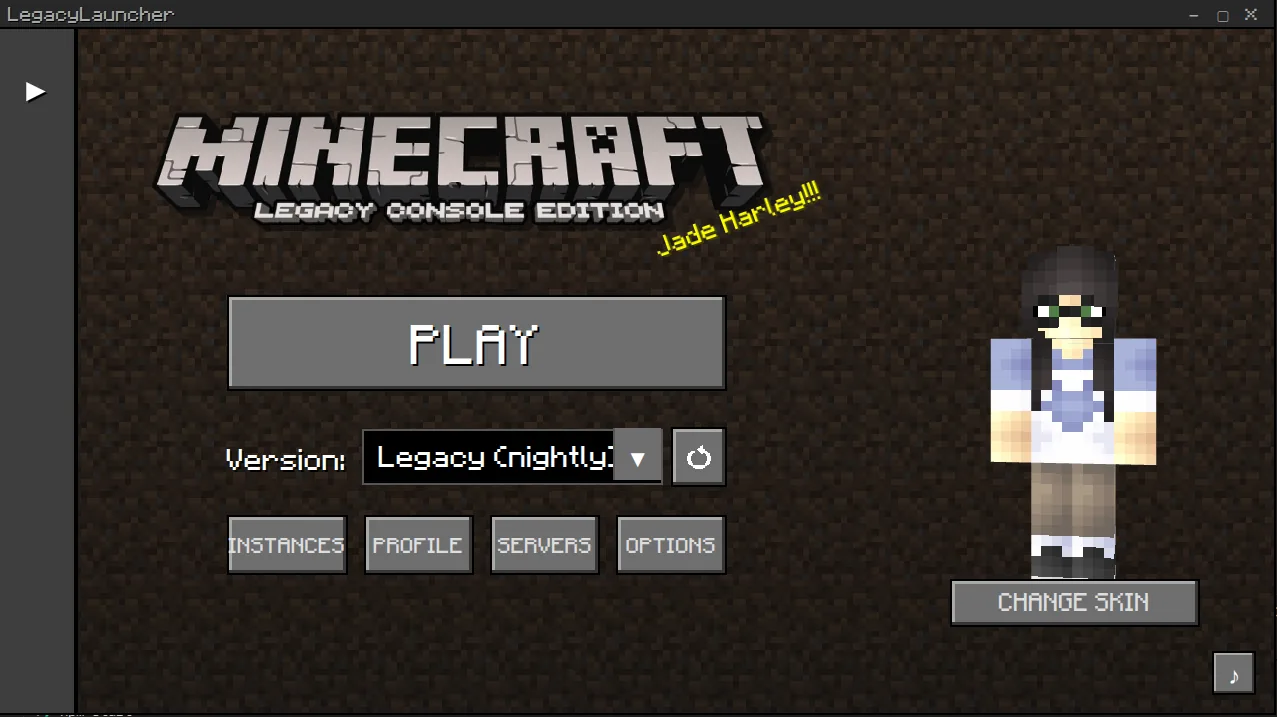
The dedicated Legacy Launcher interface designed for configuring Legacy Console Edition builds, audio channels, and platform settings.Safety & Provenance
Security, Source Code Transparency, and Avoiding Counterfeits
Security remains one of the most critical topics for anyone searching for Minecraft launchers. Over the past decade, several untrusted commercial websites have used aggressive search engine optimization and trademark manipulation to push monetized, closed-source, or telemetry-heavy launchers. Both legitimate Legacy Launcher users and TL Legacy users must take explicit precautions to avoid downloading repackaged installers.
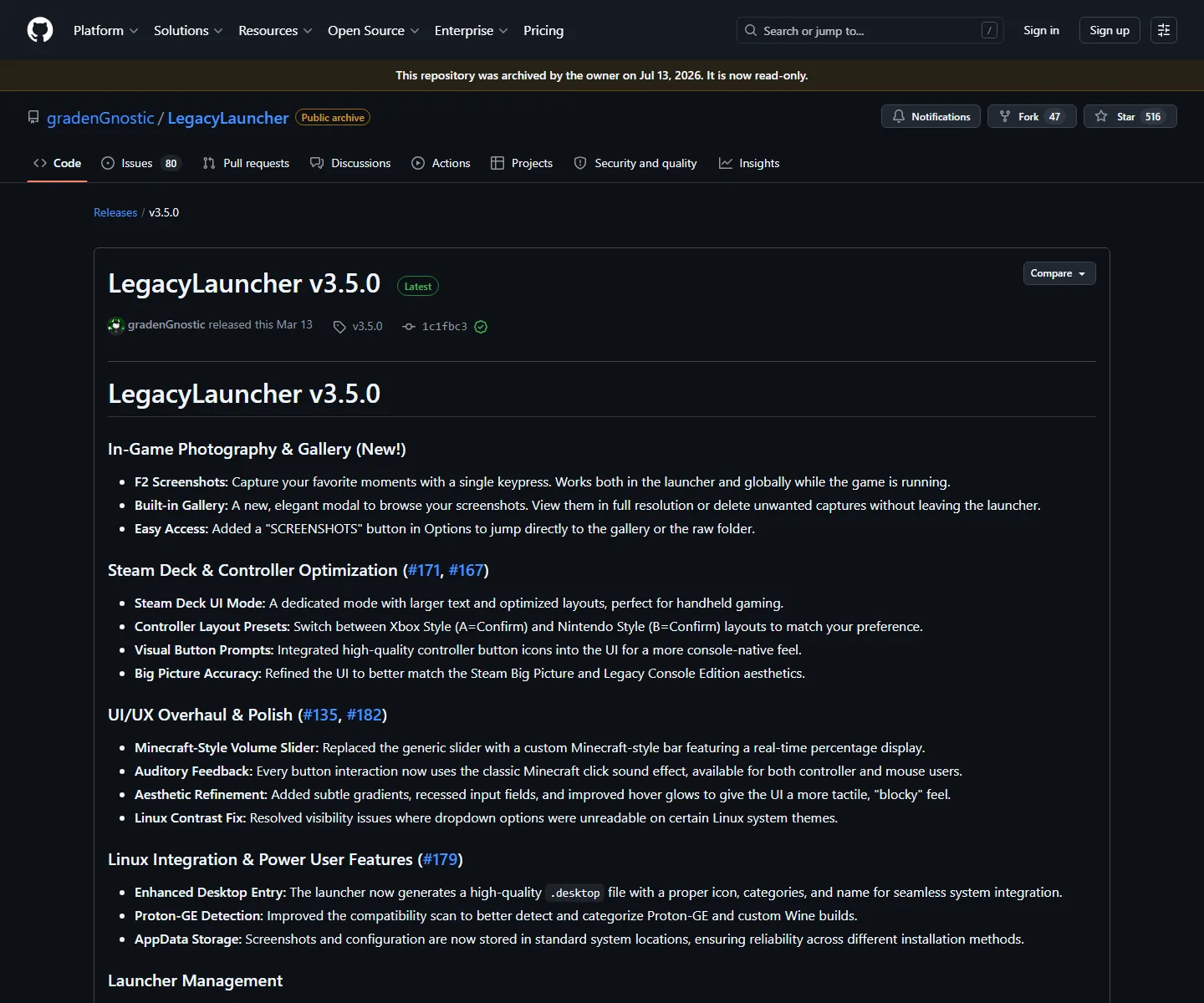
For Legacy Launcher, the definitive source of truth is the gradenGnostic/LegacyLauncher GitHub repository. Every public release provides compiled binaries along with transparent source code, release hashes, and an MIT license. Because the application does not communicate with closed advertising servers or install hidden background telemetry services, virus scanners and security researchers can directly verify the codebase. When downloading Legacy Launcher, always verify that your download link points directly to genuine GitHub asset releases (such as LegacyLauncher.Setup.3.5.0.exe on Windows or LegacyLauncher-3.5.0.AppImage on Linux).
For TL Legacy, players should obtain installers solely from the authenticated llaun.ch website. Avoid third-party freeware download portals, shady YouTube description links, or sites with domain variations designed to mimic the project name. Neither genuine Legacy Launcher nor genuine TL Legacy requires users to disable Windows Defender SmartScreen permanently, pay subscription fees, or install third-party browser toolbars. If an installer demands administrative access to install auxiliary search engines, abort the installation immediately.
Verified GitHub release page showing official installer binaries. Downloading from authentic repositories guarantees software integrity and safety.Accounts & Skins
Account Systems, Skins, and Network Compatibility
A frequent source of user confusion involves login credentials and multiplayer skins. Because both tools share the 'launcher' label, players often ask whether their TL Legacy skin will display inside Legacy Launcher or whether their Microsoft account can be used interchangeably between the two.
Because Legacy Launcher simulates the Legacy Console Edition environment, it does not connect to the Mojang/Microsoft skin authentication session servers used by Java Edition. In Legacy Launcher, your player identity is handled via local profile configurations, and visual skins are selected from classic console skin packs or custom local textures applied directly to your profile. You do not log into a Microsoft account within Legacy Launcher to play single-player worlds or local split-screen sessions.
TL Legacy operates within the standard Java Edition networking framework. It allows users to authenticate with official Microsoft accounts (providing full access to public Java servers and official skins), while also supporting third-party skin delivery networks such as Ely.by for offline or custom multiplayer servers. However, skins configured on Ely.by or Mojang servers will not automatically appear inside Legacy Launcher, and Legacy Launcher's console skin configurations cannot be exported into TL Legacy. Treat their account systems as completely isolated environments.
Decision Guide
Which Launcher Should You Choose for Your Gaming Setup?
To conclude your evaluation, follow this straightforward decision checklist to determine whether you should install Legacy Launcher or TL Legacy on your system:
Choose Legacy Launcher if: 1. You specifically want to relive the Minecraft Legacy Console Edition (Xbox 360, PS3, Wii U) aesthetic and mechanics on your PC. 2. You want built-in console mini-games (Battle, Tumble, Glide) and classic tutorial worlds without setting up third-party server networks. 3. You prefer plug-and-play controller gameplay with authentic console HUDs and streamlined crafting. 4. You appreciate an open-source, GitHub-verified Electron desktop project that requires zero Microsoft account login for local play.
Choose TL Legacy if: 1. You want to play modern or historical Minecraft Java Edition releases (from early Beta to the newest release updates). 2. You plan on installing popular Java mod loaders such as Fabric, Forge, NeoForge, or Quilt along with extensive modpacks. 3. You want to join popular public Java multiplayer networks like Hypixel, Mineplex, or private SMP servers using your official Microsoft account. 4. You desire a lightweight Java launcher interface with built-in custom skin system compatibility (via Ely.by).
Both projects represent remarkable community efforts within their respective niches. By selecting the tool that corresponds to your intended gameplay edition, you ensure a seamless, trouble-free installation and optimal performance.