Legacy Launcher vs TLauncher: What Is the Difference?
Legacy Launcher and TLauncher are not interchangeable names. This site tracks gradenGnostic/LegacyLauncher, an archived desktop project for community Minecraft Legacy Console Edition workflows. TL Legacy at llaun.ch is a different Java launcher, while TLauncher at tlauncher.org is another separate product. If you searched Legacy Launcher vs TLauncher, identify the exact project first; otherwise you can follow the wrong download, account or skin instructions.
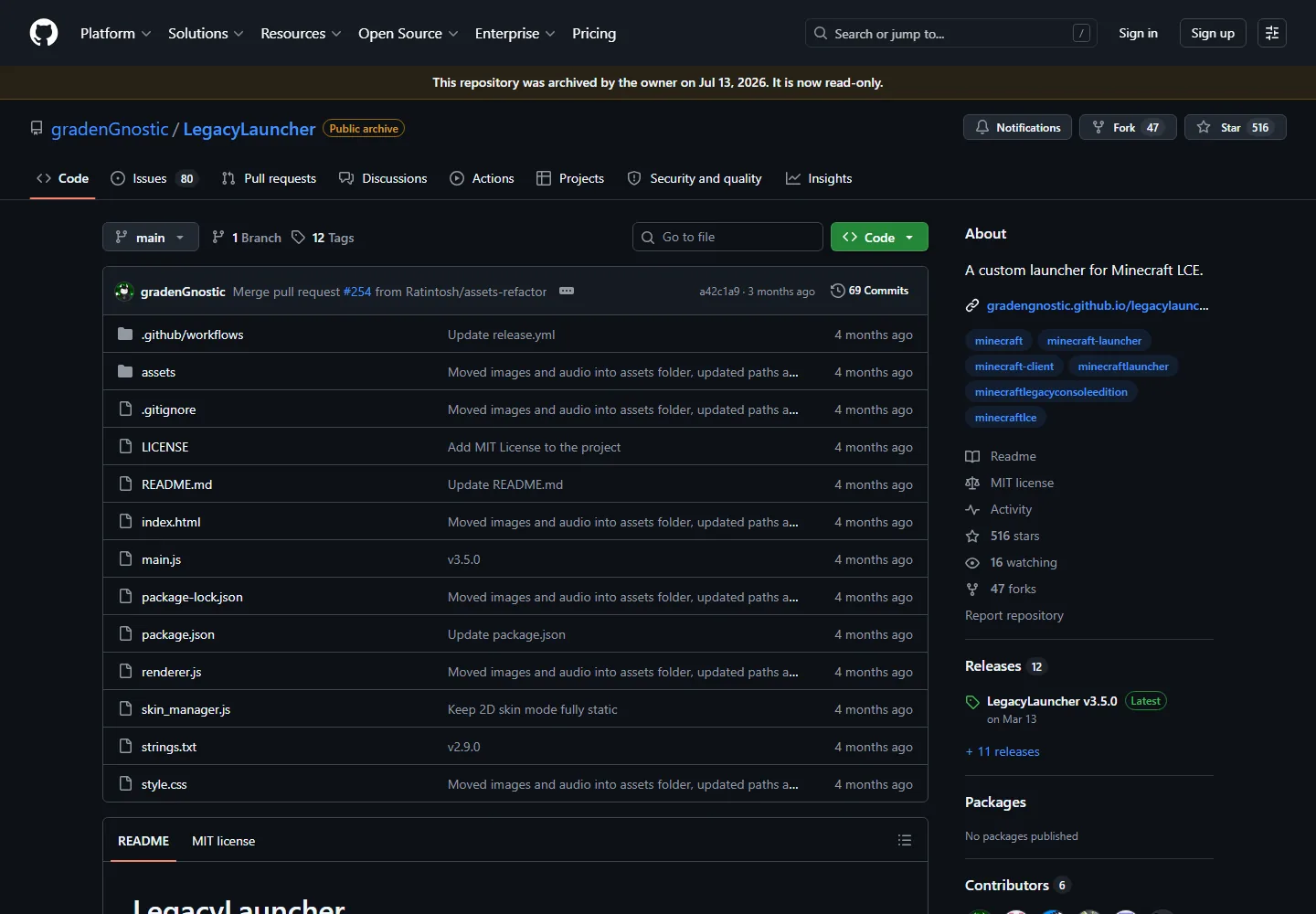
Official GitHub repository for the Legacy Launcher covered by this site. The repository was archived on July 13, 2026, which is one of the clearest ways to distinguish it from TL Legacy and TLauncher.
Do not choose a launcher from the name alone. Match the developer, official domain, Minecraft edition and release source.
verified July 23, 2026
Three similarly named launcher projects at a glance
Legacy Launcher on this site
gradenGnostic/LegacyLauncher, archived GitHub project; latest verified release v3.5.0 from March 12, 2026
TL Legacy
A separate Minecraft Java launcher distributed from llaun.ch with stable and rolling channels
TLauncher
A separate launcher and account ecosystem distributed from tlauncher.org
Most important check
Confirm the official domain or GitHub owner before downloading, signing in or following skin instructions
quick verdict
The answer depends on which Legacy Launcher you mean
For the project covered by LegacyLauncher.wiki, the comparison is simple: gradenGnostic Legacy Launcher is an archived desktop app built around Minecraft Legacy Console Edition workflows, while TLauncher is a separate launcher generally associated with Minecraft Java Edition. They have different developers, download sources, account behavior and support expectations.
A second source of confusion is TL Legacy. Search engines often treat TL Legacy, Legacy Launcher and TLauncher as related phrases, but TL Legacy is not the archived gradenGnostic project. Its official site describes stable and rolling launcher channels, Microsoft and skin-system accounts, and Java runtime choices. That is why an instruction written for TL Legacy may be wrong for the Legacy Launcher download pages on this site.
Choose gradenGnostic Legacy LauncherOnly when you specifically understand the archived Minecraft LCE workflow and already have the files you are entitled to use.
Choose TL LegacyWhen you intentionally want the Java launcher from llaun.ch and its stable or rolling channel, account and skin workflow.
Choose TLauncherOnly when you deliberately want the separate product from tlauncher.org and have reviewed its account, privacy and download implications.
side-by-side
Three launcher projects side by side
Use this table as an identity check, not as a guarantee that any launcher is appropriate for your account or files. The product name shown in a video title, mirror or forum post is not enough evidence.
Project
What it is
Update/source status
Best match
gradenGnostic Legacy Launcher
Electron desktop launcher for community Minecraft Legacy Console Edition workflows
GitHub repository archived; v3.5.0 remains the latest verified release
Users who specifically need the archived LCE launcher workflow
TL Legacy
Minecraft Java launcher with stable and rolling channels
Official site and documentation remain separate from this wiki's tracked project
Users intentionally following llaun.ch Java, account or skin instructions
TLauncher
Separate Minecraft launcher with its own installer, account and content ecosystem
Distributed from tlauncher.org, not from the two sources above
Users who deliberately selected that specific product after reviewing its terms
visual identity
The archived Legacy Launcher has a different interface and release trail
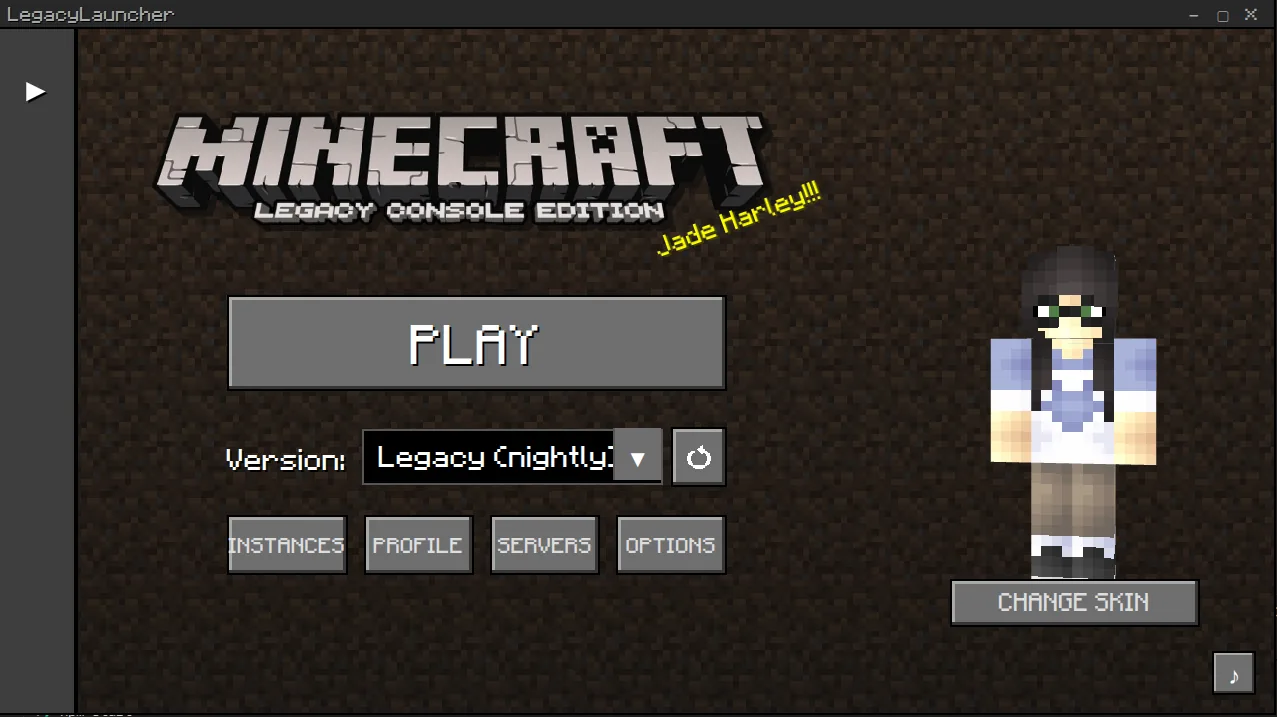
The Legacy Launcher interface shown below belongs to the gradenGnostic project. Its release assets are desktop packages for Windows, macOS and Linux, and its documentation focuses on profiles, launch options, screenshots, controller behavior and Minecraft LCE-oriented workflows. It is not the Java launcher interface shown in TL Legacy or TLauncher tutorials.
When a guide tells you to select a TL account, use a TLauncher skin service or switch between Stable and Rolling, it is describing another launcher. Stop and verify the source before entering credentials or replacing files.
Legacy Launcher application interface from the official project. This visual does not match TL Legacy or TLauncher account and skin tutorials.downloads and updates
Compare the source before comparing features
For gradenGnostic Legacy Launcher, the verified source is the archived GitHub repository and its v3.5.0 release assets. The latest release was published March 12, 2026, and the repository was archived July 13, 2026. The download buttons on this site point to the four verified GitHub assets for Windows, Apple Silicon macOS, Intel macOS and Linux AppImage.
TL Legacy directs users through llaun.ch and its documentation. TLauncher directs users through tlauncher.org. A third-party page that mixes these names, offers an unexpected installer or claims that one account works everywhere should be treated as a warning sign. No launcher name proves a file is safe; verify the final host, filename, file type and release context.
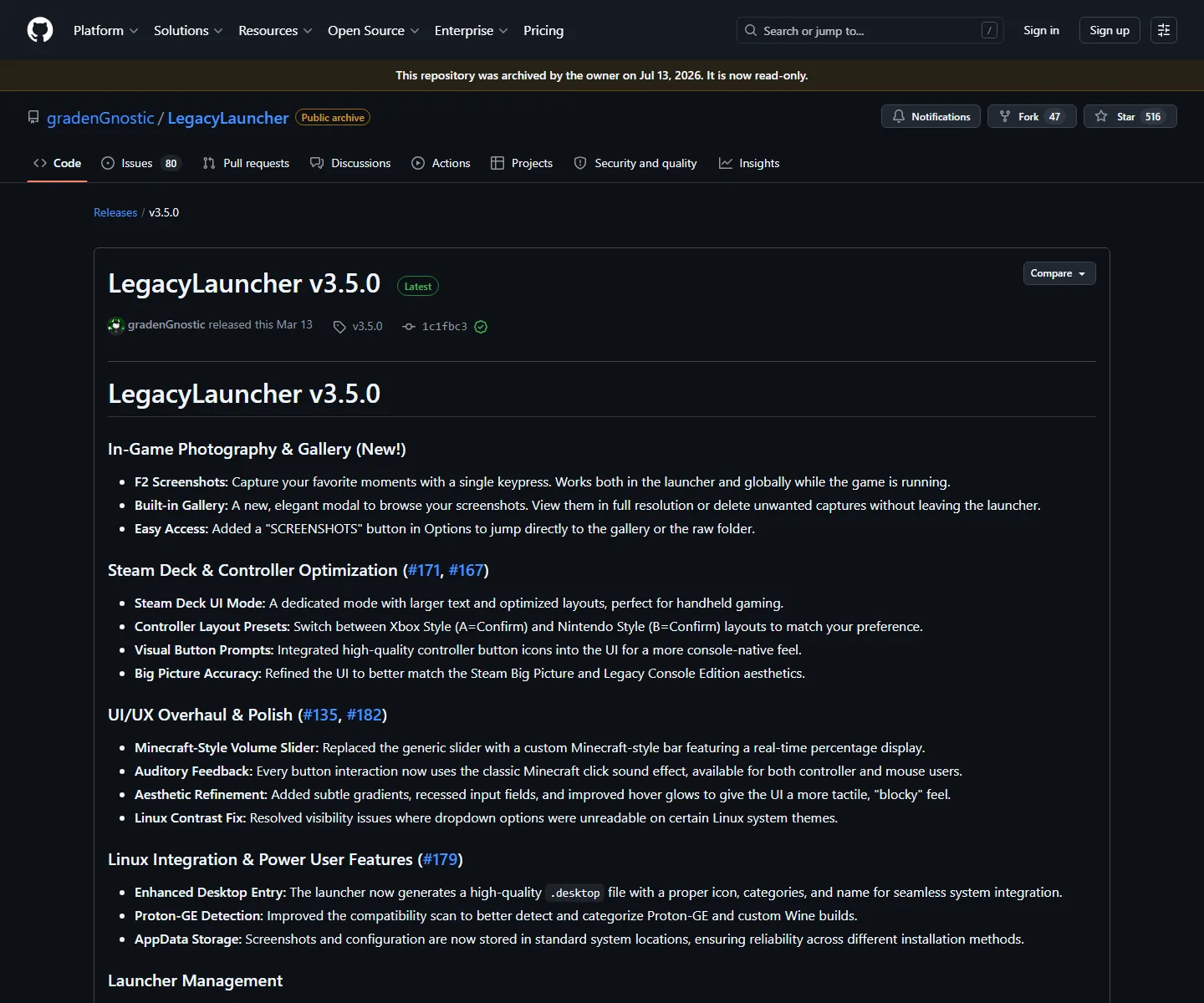
Official v3.5.0 release page for gradenGnostic Legacy Launcher. The exact GitHub owner, tag and asset names are stronger identifiers than a generic launcher label.
Never reuse a password because a launcher page claims two products are connected
accounts and skins
Account and skin instructions are not portable between launchers
Account labels are one of the fastest ways to identify the product. TL Legacy documentation describes Microsoft accounts and supported skin-system accounts. TLauncher uses its own product-specific account and skin flow. The archived gradenGnostic launcher has different profile and LCE workflow expectations. A successful sign-in or skin upload in one launcher does not mean the same credentials, profile or skin will work in another.
If your real goal is changing a skin, use the dedicated Legacy Launcher skins guide, which explains the TL Legacy account boundary. If your goal is downloading the archived project covered by this site, use the verified download center instead of a TL Legacy or TLauncher tutorial.
decision checklist
How to choose the correct launcher page
Before downloading, write down the exact experience you want: Minecraft Java Edition, a community Legacy Console Edition workflow, a skin/account system or a specific tutorial. Then match that need to an official project source. This avoids the most common mistake: treating a search keyword as a product identity.
Check the developer or organization name, not only the launcher title.
Check whether the guide discusses Java Edition, Legacy Console Edition or Bedrock Edition.
Check whether the page links to GitHub, llaun.ch or tlauncher.org.
Match screenshots and account labels before entering credentials.
Use the latest verified release page; avoid mirrors that hide the final file host.
No. The Legacy Launcher tracked by this site is the archived gradenGnostic GitHub project. TL Legacy at llaun.ch and TLauncher at tlauncher.org are separate products with different developers, downloads and account workflows.
Is TL Legacy the same as Legacy Launcher?
Not in this site's terminology. Search results often shorten TL Legacy to Legacy Launcher, but this wiki uses Legacy Launcher for gradenGnostic/LegacyLauncher. Always confirm the official domain before following instructions.
Which launcher is for Minecraft Java Edition?
TL Legacy and TLauncher are generally discussed as Java launchers. The archived gradenGnostic Legacy Launcher covered here is associated with community Minecraft Legacy Console Edition workflows, not a normal Java launcher replacement.
Which one is safer to download?
A product name alone cannot answer that. Use only the intended official source, inspect the final host and filename, keep your operating system protections enabled, and avoid mirrors or unexpected account prompts.
Is Legacy Launcher or TLauncher legal?
The launcher name does not determine whether a use is permitted. Legality and license compliance depend on game ownership, files, account use and local rules. Review the Minecraft EULA and the terms of the specific product; this page is not legal advice.
Can I use the same account and skin in all three launchers?
Do not assume so. Each product has its own supported account types, profile storage and skin workflow. Follow instructions written for the exact launcher and never reuse a password on an unverified page.