Legacy Launcher Update: Version History and Archive Status
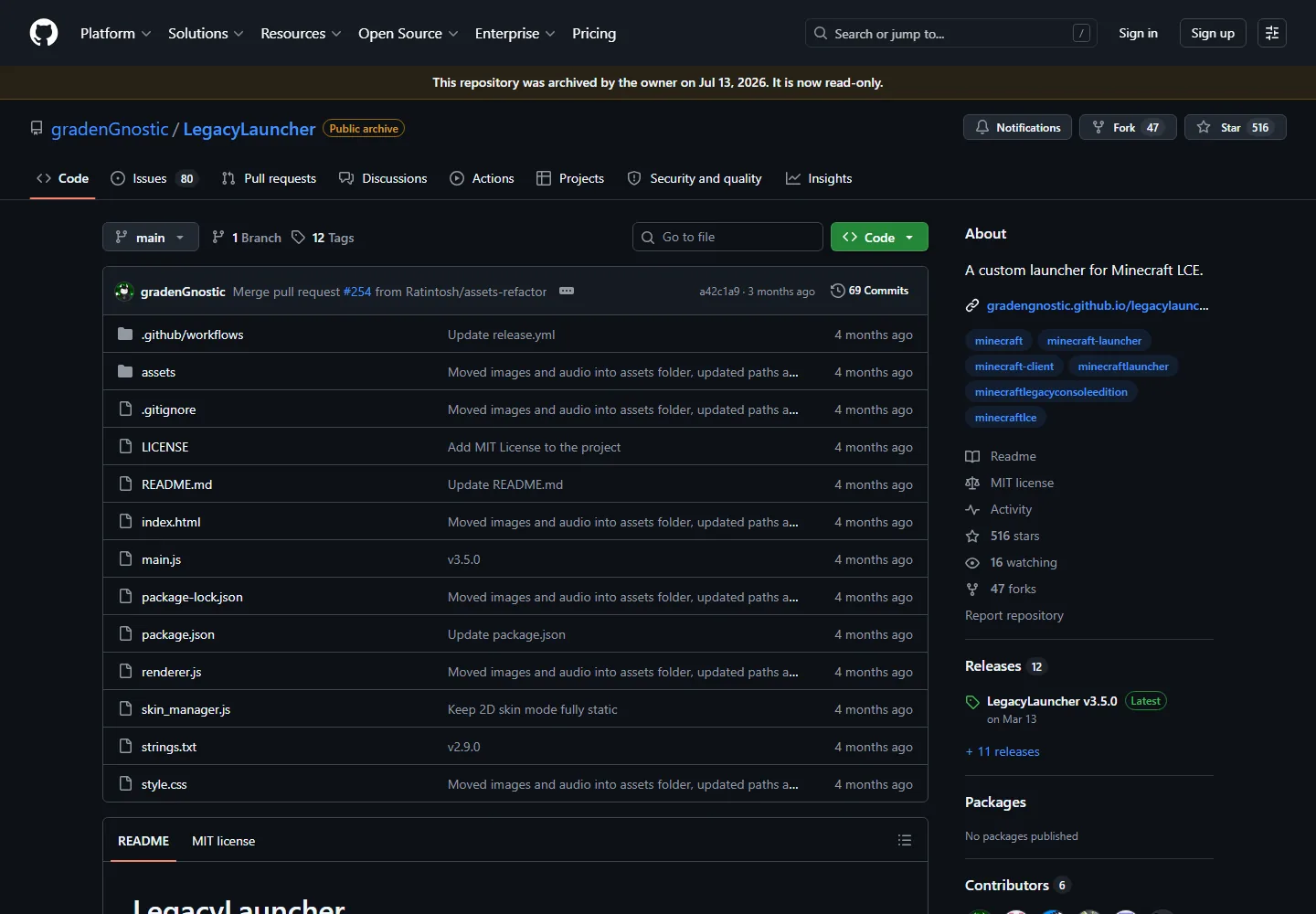
The latest verified Legacy Launcher update is v3.5.0, published on March 12, 2026. GitHub shows that the gradenGnostic/LegacyLauncher repository was archived on July 13, 2026, so the practical update boundary is important: the release remains available to inspect, but readers should not expect a new patch or an automatic update from this project. This page records the verified release history, summarizes what changed in v3.5.0, and explains how to check the official GitHub release page without confusing this Minecraft Legacy Console Edition launcher with TL Legacy, Legacy4J, or the official Minecraft Launcher. The source review for this page was completed on September 17, 2026; no newer verified release was found.
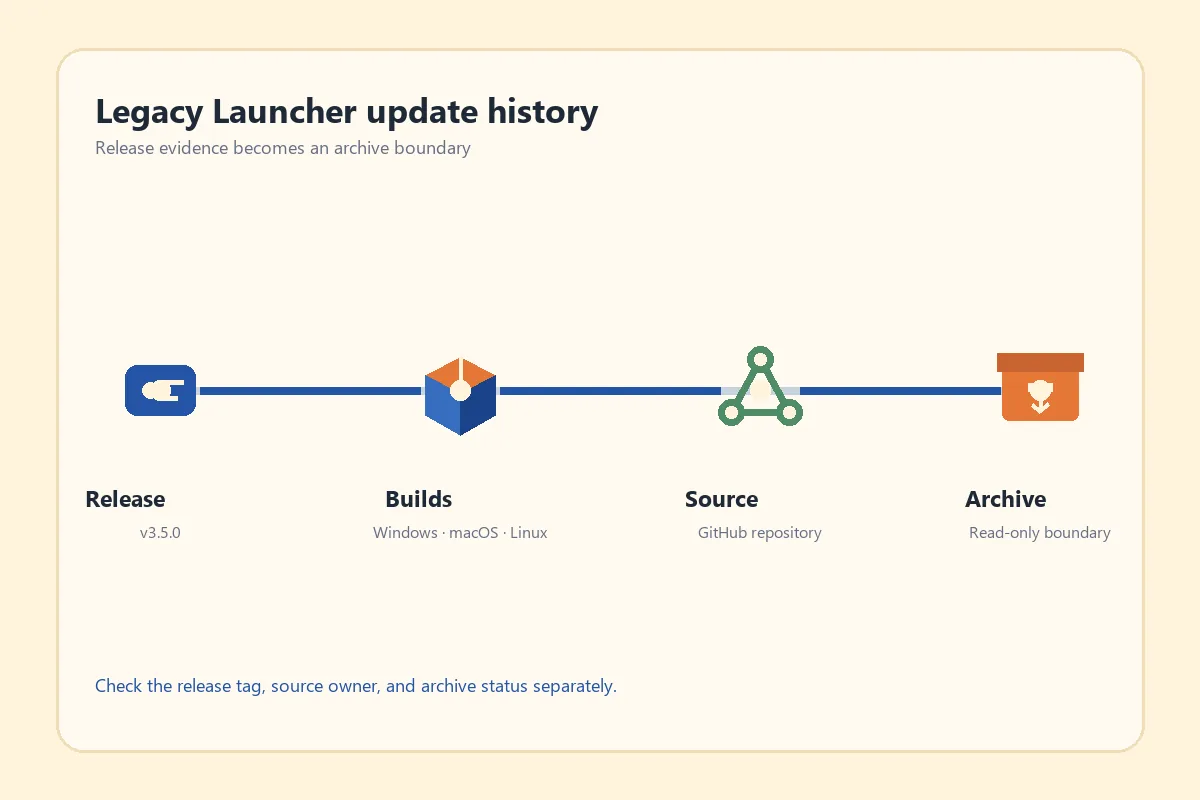
A release tag, platform builds, source repository, and archive status are separate checks in a Legacy Launcher update history.
Source check completed September 17, 2026; official release-page fallback used because direct asset checks were not stable.
verified release facts
Legacy Launcher update at a glance
Latest verified release
LegacyLauncher v3.5.0
Published
March 12, 2026
Repository status
Archived and read-only since July 13, 2026
Platforms listed
Windows, macOS, and Linux
Preferred source
Official GitHub release page, not an unknown mirror
latest verified update
What is the latest Legacy Launcher update?
For this site’s tracked project, v3.5.0 is the latest verified Legacy Launcher update. The release belongs to gradenGnostic/LegacyLauncher, a community launcher associated with Minecraft Legacy Console Edition. That identity matters because the phrase Legacy Launcher also appears beside unrelated Java launchers, TL Legacy searches, Legacy4J discussions, and the official Minecraft Launcher. A version number without the repository owner and release tag is not enough to prove that you found the right project.
The release page is the safest place to confirm the tag, publication date, notes, and platform files together. This page therefore links to the official v3.5.0 release page instead of inventing a new mirror or promising a permanent direct installer URL. The direct asset checks used during research returned unstable 403, timeout, or connection-reset responses, so no new file-size or MIME claim is made here. Use the official page when you need the current file list.
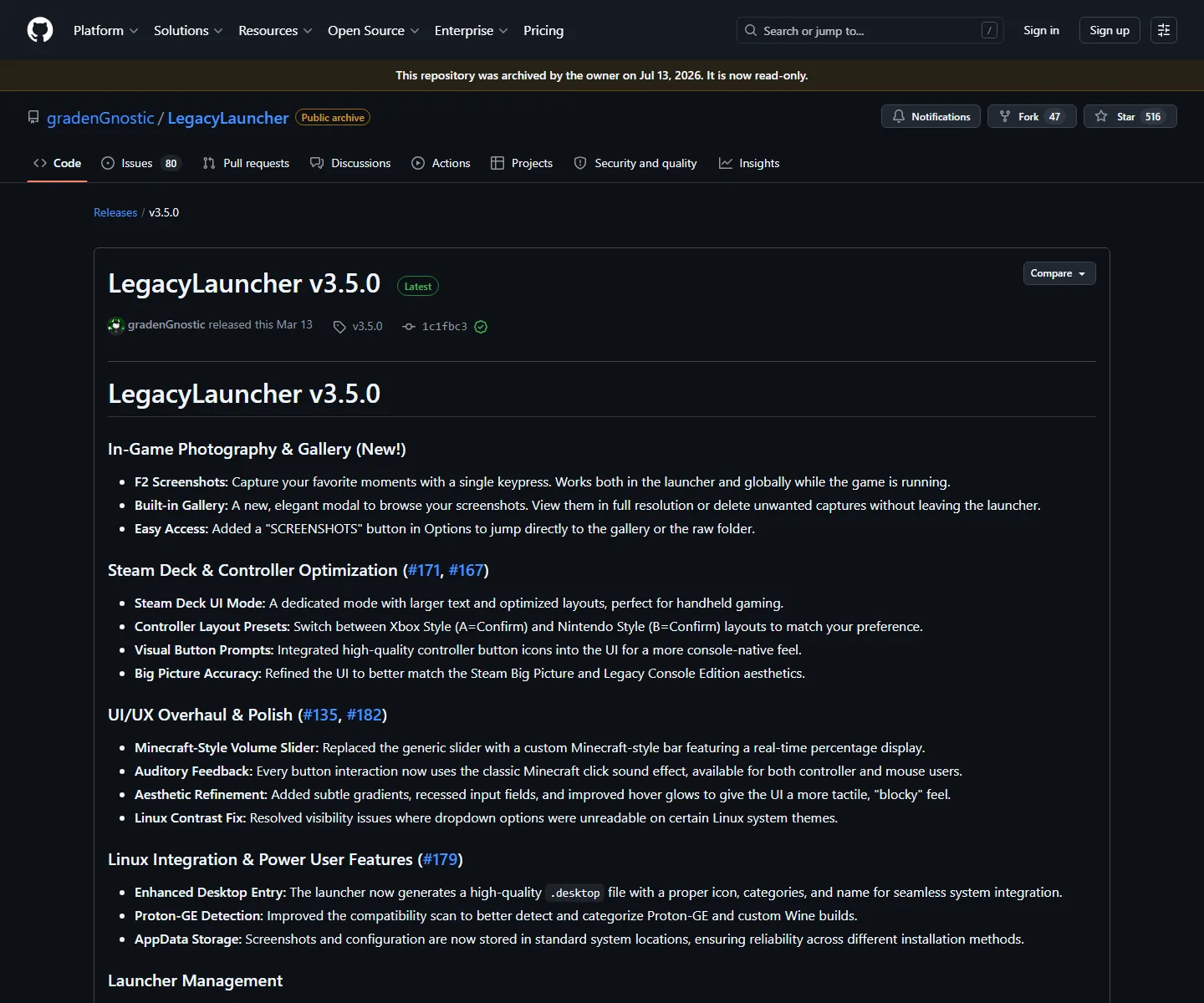
The official release notes connect v3.5.0 to the archived LegacyLauncher repository and describe the final verified feature set.v3.5.0 release notes
What changed in the v3.5.0 update?
The v3.5.0 notes describe a broad usability release rather than a small filename-only patch. They call out in-game photography and a built-in gallery, including an F2 screenshot shortcut and an Options route for reaching the screenshots folder. Those details are useful when checking whether an old installation and its local captures match the release you intended to install.
The same release notes mention Steam Deck and controller improvements. The release added a dedicated handheld-oriented mode, controller layout presets, visual button prompts, and better alignment with the Steam Big Picture experience. These notes explain why a user comparing a Linux build or a handheld setup may see references that are absent from an older guide. They do not prove that every operating system has identical controls.
Screenshot workflow: F2 capture, built-in gallery, and a visible SCREENSHOTS path.
Handheld and controller work: Steam Deck mode, Xbox-style and Nintendo-style prompt layouts, and larger UI treatment.
Desktop and Linux polish: contrast fixes, desktop entry support, Proton-GE detection, and standard application-data storage.
Verification boundary: these notes describe v3.5.0; they do not establish a newer release after the repository was archived.
version history
How to read the Legacy Launcher version history
A useful version history has four separate checkpoints. First, identify the repository as gradenGnostic/LegacyLauncher and confirm that its description refers to Minecraft LCE. Second, open the Releases area and locate the v3.5.0 tag rather than relying on a search snippet or a repackaged filename. Third, read the notes for the platform or feature you care about. Fourth, check the archive banner and publication date so that you understand whether the project is still receiving fixes.
This method prevents two common mistakes. The first is mixing a release note from another launcher into the LCE project’s history. The second is reading the word Latest on an old release page as proof that the project is still actively maintained today. In this case, v3.5.0 remains the latest release verified by the source review, while the repository’s archived status means the maintenance expectation is different from an active launcher’s update channel.
Start from the official repository or release page, not from a file-sharing result. Check that the owner is gradenGnostic, that the repository name is LegacyLauncher, and that the release notes describe the LCE launcher you are trying to use. If a page redirects to a different project, stop and compare the product identity before downloading anything.
Finally, use the release page’s own asset list or the site’s verified download guidance. Do not claim that an asset is safe merely because the filename ends in EXE, DMG, or AppImage, and do not treat a third-party mirror as official. If direct asset verification is unavailable, keep the official release page as the destination and inspect the file through your normal operating-system security tools before opening it.
Confirm the owner and repository name: gradenGnostic/LegacyLauncher.
Match the release tag, date, notes, and platform package to your device.
Treat the archive banner as a maintenance boundary.
Prefer the official GitHub release page when a stable direct file URL cannot be verified.
Keep Minecraft game files, accounts, and unrelated launchers outside this release history.
older installations
Can an older installation be updated?
There is no verified universal in-app update workflow documented for this archived project, so do not assume that an old copy can update itself. The safer decision is to identify the installed version, close the launcher, back up screenshots and configuration that you need, and then compare the official release notes before replacing or reinstalling the platform package. Keep a copy of the old installer when you need a reversible troubleshooting path.
An update is also an opportunity to check product identity. If your old shortcut opens a Java launcher, TL Legacy, Legacy4J, or another application, installing a LegacyLauncher package will not turn it into the same product. Check the application name, repository owner, file extension, and installation location together. The Legacy Launcher name is not a license to merge unrelated version histories.
archive status
What does the archived status mean for future updates?
For users who need an actively maintained alternative, compare the product requirements first. Legacy4J is a separate Java Edition project, TL Legacy is a separate launcher path, and the official Minecraft Launcher is a different product again. The right choice depends on your game edition, account flow, platform, and controller needs; the update history alone cannot make that decision for you.
The repository page is useful evidence for ownership, source context, release links, and the read-only archive boundary.
If the release page does not show the file you expected, check the tag and repository first. A missing asset can be a network, browser, permissions, or release-page issue; it is not proof that a random mirror is the correct replacement. Record the exact filename and platform before searching for help.
If an installer opens but the launcher behaves differently, compare the release notes with your platform. Screenshots, controller prompts, Steam Deck mode, Linux desktop entries, and application-data paths are all details that can vary by build or environment. Avoid copying a command from a Java launcher guide into an LCE installation without checking what product it targets.
If a supposed update asks for an account, paid-game bypass, or unknown executable, stop. This site does not host Minecraft game files, free accounts, cracked builds, or bypass tools. Return to the official release page, the download center, or the safety guide and verify the source boundary before continuing.
Wrong project: re-check the owner, repository, and Minecraft edition.
Wrong package: match EXE, DMG, or AppImage to the operating system and architecture guidance.
Unexpected behavior: read the v3.5.0 notes for screenshots, controller, Steam Deck, and Linux changes.
Untrusted source: leave mirrors, cracked builds, account offers, and game-file downloads out of the update workflow.
FAQ
Legacy Launcher update FAQ
What is the latest Legacy Launcher update?
The latest verified release for gradenGnostic/LegacyLauncher is v3.5.0, published on March 12, 2026.
Is there a newer Legacy Launcher version after v3.5.0?
The source review completed on September 17, 2026 did not confirm a newer release. GitHub shows the repository was archived on July 13, 2026.
Does Legacy Launcher have an automatic updater?
This page does not claim a universal automatic updater. Check the official release page and follow platform-specific guidance instead.
What did the v3.5.0 update add?
The notes mention F2 screenshots, a built-in gallery, Steam Deck and controller improvements, UI polish, Linux integration, Proton-GE detection, and standard application-data storage.
Can I use TL Legacy update instructions for Legacy Launcher?
No. TL Legacy, LegacyLauncher, Legacy4J, and the official Minecraft Launcher are separate products. Verify the repository and product identity before following an update guide.
Where should I download an update?
Use the official gradenGnostic/LegacyLauncher v3.5.0 release page or the site’s download guidance. When a direct asset cannot be stably verified, prefer the official release page.
Does an archived repository mean the release is unsafe?
No. Archive status means the repository is read-only; it does not by itself prove that the final release is safe or that every mirror is authentic. Check source, tag, file, and host separately.