A Legacy Launcher download result can lead to several projects with similar names. Before opening a file, confirm the repository owner, release tag, platform filename and final host. This page is the pre-click check for the community launcher used in Minecraft Legacy Console Edition searches. It does not replace the direct download table, does not distribute Minecraft game files and does not promise a malware scan. On November 15, 2026, the official gradenGnostic release page still showed v3.5.0 as the latest verified release.
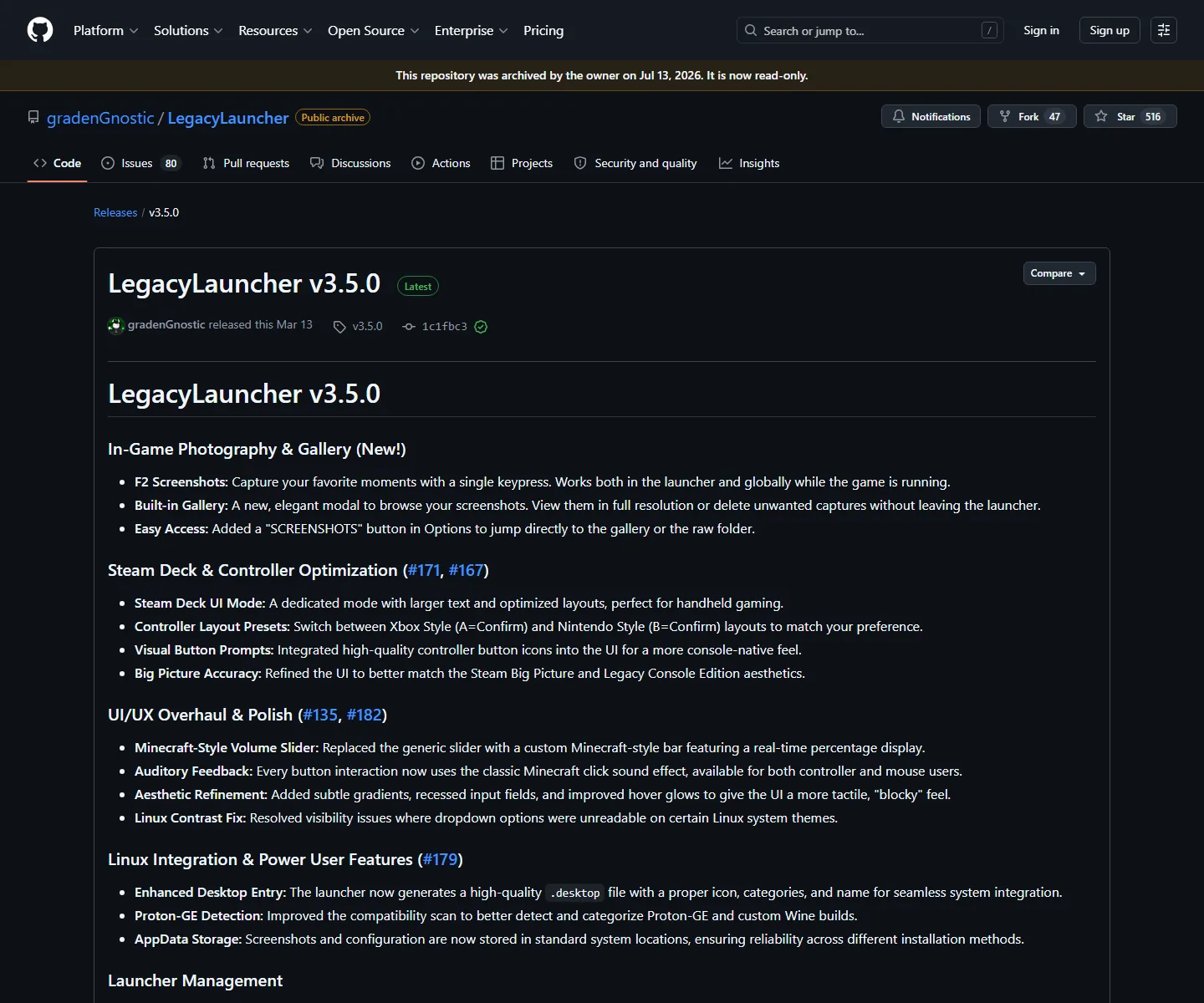
The official v3.5.0 release notes are the reference point for the Legacy Launcher download check.
Checked November 15, 2026 from the official GitHub v3.5.0 release page; recheck the tag before every new install.
quick source check
Facts to compare before a Legacy Launcher download
Primary search task
Legacy Launcher download source verification
Latest checked release
v3.5.0
Official release host
github.com/gradenGnostic/LegacyLauncher
Files shown on release page
Windows EXE, Linux AppImage and macOS ARM DMG
Project boundary
Launcher application files only; no Minecraft game files or account bypass
Archive note
The existing GitHub guide records a read-only repository status; the release page remains the source to recheck.
1 · identify the task
What a Legacy Launcher download result should identify
The phrase Legacy Launcher download is not a unique product label. Search results can mix the archived gradenGnostic project, TL Legacy, a separate Java launcher, old web pages and unrelated repositories. Start by deciding what you are trying to obtain: the LCE community launcher application, a Java mod, the official Minecraft Launcher or a game file. Each has a different owner, release workflow and compatibility boundary.
For the LCE launcher covered here, the useful input is a candidate repository or release page. The useful output is a simple decision: the page matches the known owner and tag, the file name matches the selected platform, and the link stays on the expected release host. If any part is unclear, pause instead of treating a familiar logo or a green download button as proof.
The existing download center is the destination for platform choices. This article sits one step earlier. It explains why a result is credible, what evidence to copy into your notes and when a result should be rejected or handed to another guide.
Name the product before choosing a file.
Separate the launcher from Minecraft ownership and game files.
Treat a source, tag and filename as one evidence chain.
2 · repository and tag
Check the repository and release tag before clicking
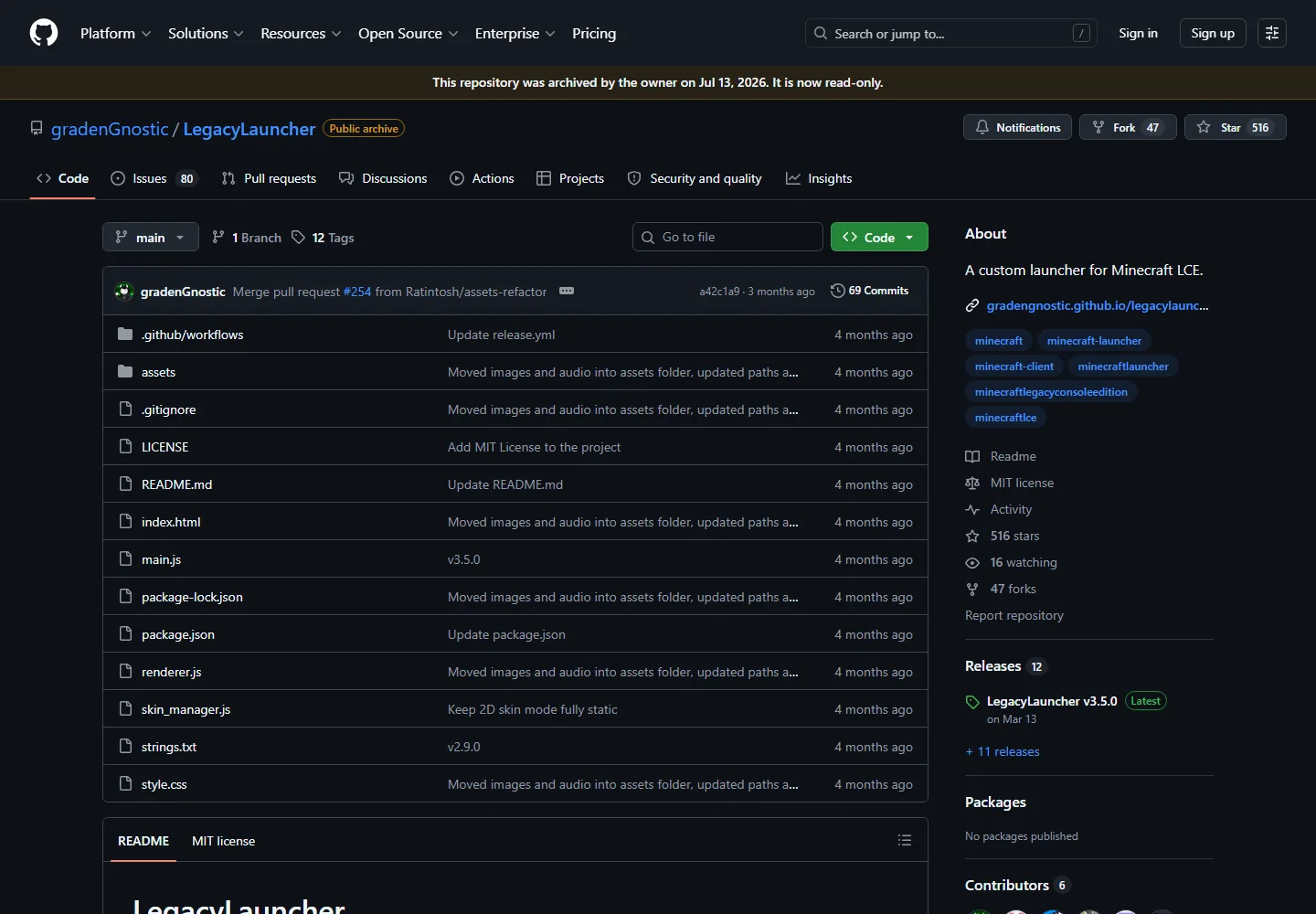
The official source used for this page is the gradenGnostic/LegacyLauncher repository on GitHub. Open the repository or its Releases tab first, then check the owner, project description and tag. A page that only repeats the words Legacy Launcher but has another owner is not the same source. This is especially important when an old mirror, a fork or a project with a similar icon ranks above the result you expected.
The release page fetched on November 15, 2026 is titled LegacyLauncher v3.5.0. Its notes describe the screenshot gallery, Steam Deck UI, controller layout presets, Linux desktop integration and Proton-GE detection. Those details are useful fingerprints: a page claiming to represent this release but showing a different tag, unrelated changelog or unexplained installer should be treated as a different product until proven otherwise.
A repository can be open source and still be archived or inactive. The existing GitHub guide records the project as read-only since July 13, 2026. That status does not erase the v3.5.0 files, but it changes the expectation: do not promise future fixes, and do not call an old mirror an official update. Keep the release URL in your notes so a later check can compare the same tag.
Repository ownership is the first identity check when several Legacy Launcher names appear in search.
Confirm the owner is gradenGnostic.
Open the Releases tab rather than relying on a mirror summary.
Record the tag, archive state and release notes together.
3 · filename and platform
Match the v3.5.0 file to Windows, macOS or Linux
The v3.5.0 release body fetched for this article lists three platform files: LegacyLauncher.Setup.3.5.0.exe for Windows, LegacyLauncher-3.5.0.AppImage for Linux and LegacyLauncher-3.5.0-arm64.dmg for Apple Silicon macOS. The existing platform pages contain additional compatibility notes, so use the file extension and your device architecture as a first filter rather than guessing from a shortened button label.
On Windows, an EXE should be offered from the GitHub release asset host after you open the official tag. On Linux, an AppImage is a portable application file and still needs the normal execute-permission step described in the Linux guide. On macOS, choose the ARM DMG only for Apple Silicon; an Intel Mac needs the matching Intel asset when the release provides one. If a page offers a ZIP, APK or a file with an unexplained renamed extension, stop and return to the release list.
Do not use the filename alone as a security verdict. The filename is a consistency check, not a virus scan. Compare the tag, owner, platform and host, then keep the release page open while the browser finishes. If a redirect changes to an unrelated domain or a download starts from a page that hides the tag, cancel it and record the mismatch.
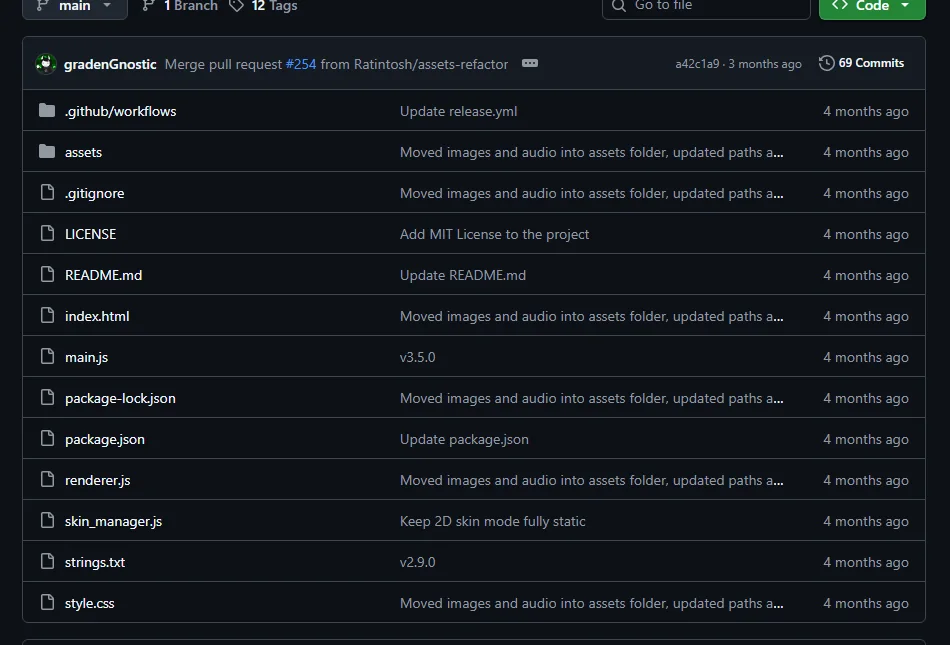
The source tree and license add context, but they do not replace checking the release asset itself.
Use the extension that matches the operating system.
Compare the exact version string in the asset name.
Treat an unexpected host or renamed file as a stop signal.
4 · mirrors and lookalikes
Reject mirrors, lookalike launchers and stale archives
A mirror can be useful as a historical reference, but it is not automatically an official download. The bounded research for this page found a similarly named launcher site that explicitly says its downloads have been halted after a Mojang complaint. That is a freshness and ownership signal, not an invitation to search for a replacement executable on an unknown mirror. A halted page can still contain screenshots or installation prose while no longer being a valid file source.
Lookalike names also create a product problem. TL Legacy, TLauncher, Legacy4J and the official Minecraft Launcher serve different purposes. A Java mod page may explain loaders and JAR files; an LCE launcher release lists desktop assets; an official Minecraft page follows a separate account and purchase flow. Do not combine instructions simply because all of them contain the word Legacy.
An archive link can preserve history, yet an archive snapshot is not proof that a binary is unchanged or supported today. Use it to understand a missing page, then return to an upstream repository or release tag when one exists. Never promise that a file is safe because it is popular, open source or downloaded by someone else. This page records source evidence and limitations instead of offering a malware-scan conclusion.
A halted download page is not a current official source.
Keep TL Legacy, TLauncher, Legacy4J and Minecraft Launcher separate.
Use archives for context, not as an automatic replacement for a release page.
Once the repository, tag, filename and platform match, move to the existing download center. It contains the site’s platform table and source links. The short download tutorial then covers the normal handoff: open the release asset, install or grant the platform permission, launch the application and record the version you actually opened. Keep game ownership separate from the launcher; the launcher page does not provide Minecraft files or an account bypass.
If the first launch fails, change the guide rather than repeating the download. Windows prompts belong to the Windows page, AppImage permissions belong to the Linux page, Steam Deck UI and controller layouts belong to the Steam Deck guide, and crash or package mismatches belong to the errors guide. A focused handoff makes the next check faster and keeps the source-verification page from becoming a generic troubleshooting list.
For a later update, return to the same official repository and compare the visible tag and release notes. The v3.5.0 check on November 15, 2026 found no newer release in the fetched release page. That is a dated observation, not a permanent latest-version promise.
Before you click, answer six questions in order: Is this the LCE community launcher I meant? Does the repository owner match gradenGnostic? Does the release tag match the version I am checking? Does the asset name match Windows, macOS or Linux? Does the browser stay on the expected GitHub release path? Am I keeping the launcher separate from Minecraft files, accounts and unrelated Java projects? A single “no” means the result needs more research.
After you click, save the release URL and filename in your own notes. If you share the link with another player, share the repository or release page rather than a shortened mirror URL. That gives the next person the same owner, tag and platform evidence and makes a future freshness check possible.
This checklist is intentionally conservative. It helps a reader choose the right source; it does not certify a binary, guarantee compatibility with every system or replace the upstream project’s own release notes.
What is the official Legacy Launcher download source?
For the LCE community launcher covered here, start at the gradenGnostic/LegacyLauncher repository and its GitHub Releases page. Compare the owner, release tag and asset filename before opening a file.
What is the latest verified Legacy Launcher version?
The official v3.5.0 release page fetched on November 15, 2026 still showed v3.5.0 as the latest verified release in the checked source. Recheck the Releases tab before a later installation.
Which file is the Windows Legacy Launcher download?
The checked v3.5.0 release lists LegacyLauncher.Setup.3.5.0.exe for Windows. Confirm the tag and GitHub asset host instead of trusting a renamed installer from a mirror.
Can I use a Legacy Launcher archive link?
Use an archive to understand history or locate a missing page, not as automatic proof that a binary is current or unchanged. Prefer the upstream repository or release page when it is available.
Is Legacy Launcher the same as TL Legacy or Legacy4J?
No. The names overlap, but the projects have different owners, formats and compatibility boundaries. TL Legacy and the archived LCE launcher are separate from the Java Legacy4J mod and the official Minecraft Launcher.
Does the download include Minecraft?
No. This site discusses launcher application files and source checks. It does not provide Minecraft game files, accounts, purchase bypasses or a license.
What should I do when a download redirects to another host?
Cancel the download, return to the official release page and compare the tag, owner and filename again. A changed or unexplained host is a mismatch to investigate, not a reason to continue blindly.
Where do I go after the source check?
Use the download center for platform files, the download tutorial for installation steps, the Steam Deck guide for handheld setup and the errors guide for a failed launch after the file identity is confirmed.